
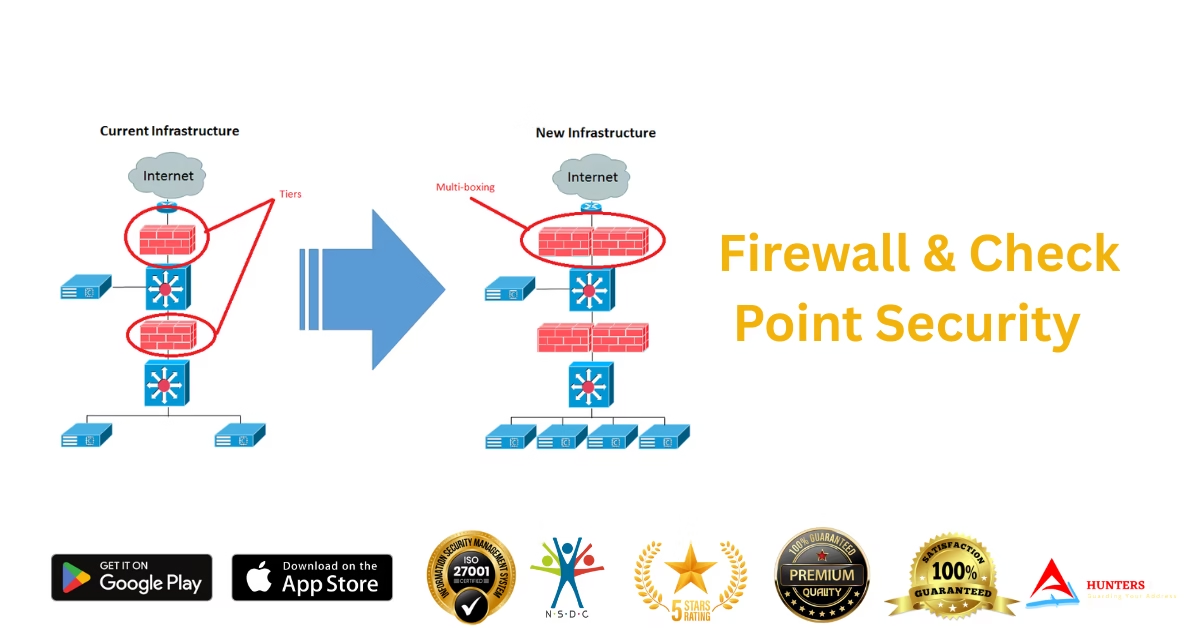
Firewalls are the first line of defense in any cybersecurity system. In today’s world of increasing cyber threats, certified firewall experts are in high demand. At A7 Security Hunters, we offer a specialized Firewall and Check Point Security Course that teaches you how to protect enterprise networks using industry-leading firewall technologies. Learn how to deploy, configure, and manage firewalls like a pro — completely online. 🛡️ What You Will Learn in the Firewall & Check Point Course This course provides hands-on training in both generic firewall concepts and Check Point Next-Gen Firewalls. 🔐 Core Modules: 🎯 Bonus: Includes training on pfSense, FortiGate, and basic Palo Alto concepts. 🎓 Why Train with A7 Security Hunters? ✅ Live + Recorded Online Training✅ 100% Practical Labs on Check Point & Virtual Firewalls✅ Hindi + English Language Support✅ Firewall Certification Prep (CCSA, CCSE)✅ Interview Guidance + Resume Help✅ App & Web Portal Access Anytime 📲 Learn anytime, anywhere:Download Our App – A7 Security Hunters (iOS) 👤 Who Should Join? 💼 Career Opportunities After This Course ✔ Firewall Administrator✔ Network Security Engineer✔ Check Point Certified Specialist✔ SOC Analyst – L2✔ Cloud Security Consultant✔ IT Infrastructure Security Officer 💡 You Also Get Access To: ✅ CEEH Certified Ethical Hacking Course✅ Red Hat Linux (RHCSA)✅ CCNA & CCNP Networking✅ Cybersecurity Master Diploma✅ Microsoft Server Administrator✅ Python, Java, PHP Programming✅ AI Graphic Design + Web/App Development 👉 Visit: www.a7securityhunters.in👉 Join the best cybersecurity training in India – 100% online, certified, and practical 📞 Enroll Now & Strengthen Network Security Skills! 📱 Call or WhatsApp: 7988285508🌐 Website: www.a7securityhunters.in📍 Located in Rohtak, Haryana – Training students globally 🌍

🐧 Learn Red Hat Linux Administration Online – Become a Certified Linux Pro with A7 Security Hunters
Want to start a career in IT infrastructure, DevOps, or cybersecurity? Learning Linux is your first step. Our Red Hat Linux Administrator Course prepares you for one of the most respected certifications in the world – RHCSA (Red Hat Certified System Administrator). At A7 Security Hunters, you’ll gain real-world Linux server skills, prepare for certification, and learn entirely online with expert guidance in both Hindi and English. 🧠 What You’ll Learn in the Red Hat Linux Course Our course is based on the latest RHCSA syllabus and covers: 🎓 Bonus: We include practice exams and lab scenarios aligned with RHCSA certification standards. 🎯 Why Choose A7 Security Hunters? ✅ Live + Recorded Online Classes✅ Hands-On Labs & Real-Time Commands✅ RHCSA Exam Preparation✅ Bilingual Support: Hindi & English✅ Access via Web + Mobile App✅ Placement Support & Certification Guidance 📲 Access the course on mobile:Download A7 Security Hunters App (iOS) 👥 Who Should Enroll? 💼 Career Opportunities After Red Hat Linux Training ✔ Linux System Administrator✔ DevOps & Cloud Engineer✔ Security Analyst✔ Server Support Engineer✔ RHCSA Certified Professional (Globally Recognized) 🎓 Access to Other Courses: 💻 CCNA & CCNP Networking🔐 Cybersecurity Diploma (CEEH Certified)🖥️ Microsoft Server Admin💻 Python, Java, PHP Programming🎨 Graphic Design + AI Video Editing🌐 Web & App Development 👉 Visit: www.a7securityhunters.in👉 Learn online from the best Linux instructors in India👉 Based in Rohtak, Serving Students Across India & Abroad 🌍 📞 Start Your Linux Journey Today! 📱 Call or WhatsApp: 7988285508🌐 Website: www.a7securityhunters.in📍 Based in Rohtak, Haryana – 100% Online Classes Available

🖥️ Become a Microsoft Server Administrator – Learn Online at A7 Security Hunters
Looking to master Windows Server and build a solid career in system administration? The Microsoft Server Administrator Course at A7 Security Hunters is designed to make you job-ready with in-depth training in real-world server environments — completely online. Whether you’re a beginner or an IT professional, our course will help you manage and secure enterprise-grade servers confidently. 🔧 What is Microsoft Server Administration? Microsoft Server Administrators are responsible for installing, configuring, and maintaining Windows Server operating systems in business environments. This includes user access, networking, file systems, security, and virtual machines. Our course includes full training on: 🎓 Why Choose A7 Security Hunters? ✅ Live + Recorded Online Training✅ Hands-On Virtual Labs with real Windows Servers✅ Hindi + English Language Support✅ Windows Server Certification Assistance (Microsoft Certified: Server Hybrid Administrator Associate)✅ Placement Support + Resume Building 📲 Access the course on the go:Download Our App – A7 Security Hunters (iOS) 👤 Who Should Take This Course? 🔥 Bonus Courses You’ll Get Access To: 🚀 Ethical Hacking (CEEH Certified)🚀 Red Hat Linux Administrator (RHCSA)🚀 Cybersecurity Masterclass🚀 CCNA & CCNP Networking🚀 Python, Java, PHP Programming🚀 Web & Mobile App Development🚀 Graphic Design + Video Editing with AI Tools 👉 Visit: www.a7securityhunters.in👉 Top-rated cybersecurity and IT training platform from Rohtak, available globally 🌍 📞 Start Your IT Career Today! 📱 Call us: 7988285508🌐 Website: www.a7securityhunters.in📍 Based in Rohtak | Training Available Online Across India

🚀 Advance Your Networking Career with the CCNP Course – Learn Online at A7 Security Hunters
Already completed your CCNA and ready to take your networking skills to the next level? The CCNP (Cisco Certified Network Professional) course from A7 Security Hunters is designed to help IT professionals specialize in advanced enterprise networking and land high-paying jobs in the global tech industry. Whether you’re aiming for a job in core networking, cybersecurity, or cloud infrastructure, CCNP certification opens doors to advanced roles and leadership positions. 📘 What is CCNP? CCNP validates your ability to plan, implement, verify, and troubleshoot local and wide-area enterprise networks. Our course is based on the CCNP Enterprise Track, which includes: 🧠 What You’ll Learn: 🎓 Why Choose A7 Security Hunters for CCNP Training? ✅ Live + Recorded Sessions✅ Lab Practice with GNS3, Cisco Packet Tracer, and Real Topologies✅ Instructors with Industry & Certification Experience✅ Hindi + English Language Support✅ Exam Guidance (ENCOR + ENARSI)✅ 100% Online with Mobile App Access 📱 Download our training app now:A7 Security Hunters App (iOS) 👤 Who Should Enroll? 🎯 Career Benefits After CCNP ✔ Network Engineer – ₹6–12 LPA✔ Senior Systems Engineer – ₹10+ LPA✔ Network Security Specialist✔ Cloud/SD-WAN Engineer✔ Cisco Certified Trainer✔ Government & Private IT Infrastructure Roles 💡 Bonus Courses You Get Access To: 🔐 Ethical Hacking & Cybersecurity Diploma💻 Red Hat Linux (RHCSA)🌐 CCNA Networking Basics🧠 Python, Java & Web Development🎨 Graphic Design & Video Editing with AI Tools 👉 Visit our website to start now: www.a7securityhunters.in👉 Certified training institute based in Rohtak – available PAN India & Online 📞 Let’s Get You Certified! 📱 Call or WhatsApp: 7988285508🌐 Website: www.a7securityhunters.in📍 Location: Rohtak, Haryana | Online Learning Available 24/7
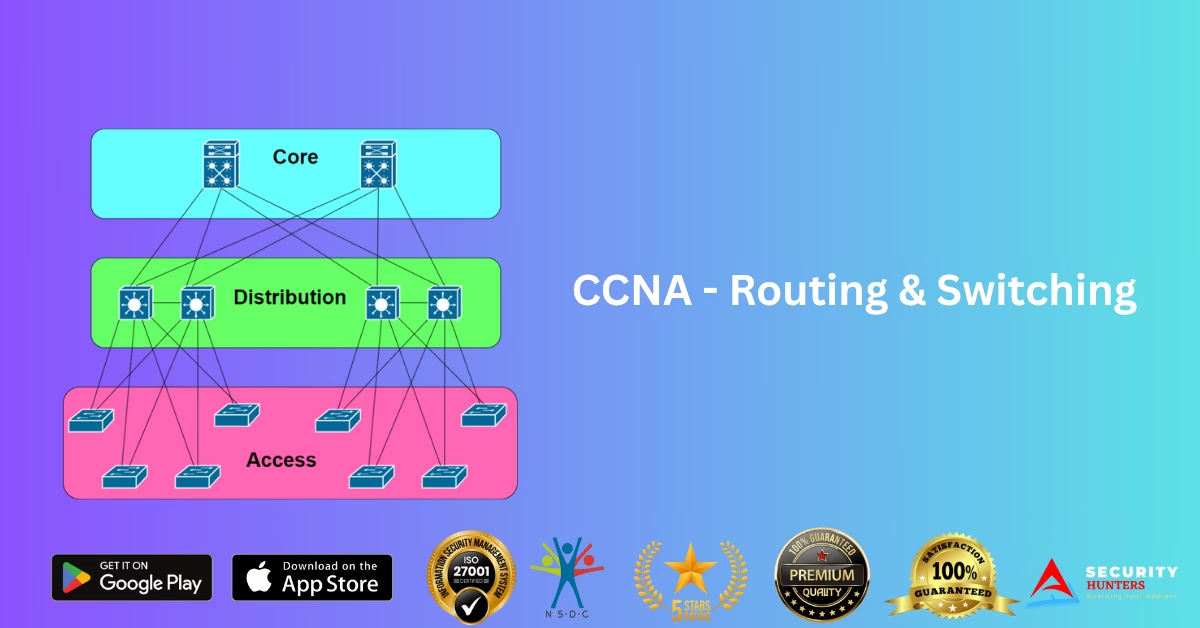
🌐 Master Networking with the CCNA Course – Learn Online with A7 Security Hunters
Want to build a rock-solid foundation in networking and open doors to top IT jobs? The CCNA (Cisco Certified Network Associate) Course by A7 Security Hunters is your gateway to a high-paying career in networking and cybersecurity. Whether you’re a beginner or a professional, our online CCNA training helps you master networking concepts, protocols, and real-world configurations—step by step. 🧠 What You Will Learn in the CCNA Course Our course is aligned with the latest Cisco CCNA 200-301 syllabus and covers: 🎓 Why Choose A7 Security Hunters for CCNA? ✅ Live + Recorded Online Sessions✅ Cisco Packet Tracer & GNS3 Labs✅ Practice Tests & Interview Prep✅ Bilingual Support – Hindi & English✅ 100% Online – Study Anywhere, Anytime✅ Certificate + Placement Assistance 📲 Learn on the go with our iOS app:Download A7 Security Hunters App 👥 Who Should Join? 💼 Other Popular Online Courses We Offer: 🚀 Ethical Hacking (CEEH Certified)🚀 Red Hat Linux Administrator (RHCSA)🚀 Cybersecurity Diploma🚀 Python, Java, PHP Programming🚀 Graphic Design + AI Tools🚀 Web & App Development 👉 Visit: www.a7securityhunters.in👉 Join the best online training institute in India👉 Trusted by 1000s of students across Rohtak & PAN India 📞 Start Your Networking Career Today! 📱 Call us at: 7988285508🌐 Website: www.a7securityhunters.in📍 Rohtak-based, but fully online – learn from anywhere!
🚀 A7 Security Hunters App Now Live on iPhone — Learn Cybersecurity, IT, Networking & More Online!
We’re excited to share that the A7 Security Hunters app is now officially available for iPhone users! 🎉 Now you can learn cybersecurity, ethical hacking, IT courses, networking, graphic design, development, and programming — all in one app, at your fingertips. 👉 Download Now: A7 Security Hunters iPhone App 🌟 What Makes A7 Security Hunters App Special? At A7 Security Hunters, we aim to empower learners across the globe with high-quality online education in both Hindi and English languages. Our app is designed for students, professionals, and enthusiasts who want to gain in-demand tech skills and stay ahead in their careers. 💡 Key Features of the A7 Security Hunters App: ✅ Learn Anytime, Anywhere: Flexible online learning at your own pace.✅ Bilingual Content: Courses available in both Hindi and English.✅ Wide Range of Topics: From cybersecurity and ethical hacking to networking, graphic design, programming, and development.✅ Expert Instructors: Learn from experienced trainers and industry professionals.✅ User-Friendly Interface: Easy navigation to browse, select, and start courses. 📲 Why You Should Download the A7 Security Hunters App? Whether you are a beginner or an advanced learner, our app provides: 🌐 Learn More & Explore Our Courses Visit our official websites to explore our full range of offerings:🔗 www.a7securityhunters.com🔗 www.a7securityhunters.in 📌 Final Words The world of cybersecurity and IT is evolving rapidly. Don’t miss this opportunity to upskill yourself with A7 Security Hunters. Download the app today, and start your journey towards becoming a cybersecurity expert or IT professional — anytime, anywhere! 👉 iPhone Users — Get the App Now: https://apps.apple.com/us/app/a7-security-hunter/id6747286401 🚀 #Cybersecurity #EthicalHacking #ITCourses #Networking #GraphicDesign #Programming #AppLaunch #OnlineLearning #HindiCourses #EnglishCourses #A7SecurityHunters #iOSApp #EdTechIndia
Capture this – Forensic Root Me CTF
Statement An employee has lost his Keepass password. He couldn’t remember it, and couldn’t find his password file. After hours of searching, it turns out that he has sent a screen of his passwords to one of his colleagues, but it’s still nowhere to be found. He’s asking for your help to find him.It’s up to you sha256sum: 028c8561f087da873b08968d55141dcfc8f10a47e787f79c35b2da611a5e07ce Tool Download – Keypass We are provided with two files for this challenge: a PNG image and a KeePass database file. To access the database, you’ll need to download KeePass—a popular password manager. The goal is to retrieve the flag, which is stored within the database. To do that, we first need to determine the correct master password. Let’s start by examining the image file. It’s a screenshot of an Excel spreadsheet containing multiple passwords. While it might be tempting to assume one of these passwords is the master key, that’s not the case. Similarly, trying to extract the password using metadata analysis or file carving tools like Foremost is a red herring and won’t lead you to the solution. Upon closely examining the image, you can spot the letter “k” peeking out on the far right side of the Excel spreadsheet. This might hint at the word “KeePass”, suggesting that the master key could be present further to the right in the spreadsheet. However, since the image is cropped, we can’t see beyond that point. So the question becomes: How can we “uncrop” the image to reveal the rest of the content? If you look at the bottom taskbar in the screenshot, you’ll notice only two applications are open: Excel and the Snipping Tool. This is a critical clue. Enter aCropalypse (CVE-2023-28303) Discovered in early 2023, aCropalypse is a vulnerability affecting image editing tools on Google Pixel phones and Windows 10/11 Snipping Tool. The flaw allowed cropped images to retain the original uncropped data. This occurred because the software failed to properly truncate the file after editing. As a result, residual image data from the original screenshot was left behind in the saved file. What Does This Mean? Even if an image appears cropped or redacted (e.g., a portion of the image is blacked out or hidden), the full original image might still be recoverable. This extra data isn’t visible in standard image viewers, which typically stop reading the file after reaching the first end-of-file marker. However, this residual data can be extracted using specialized tools. A helpful sign that an image may be vulnerable is if its file size appears unusually large for a cropped screenshot—indicating leftover data might still exist. Recovery Tools There are several tools available to test and exploit this vulnerability: By using these tools, it may be possible to recover the full screenshot—including the hidden part of the spreadsheet—which could potentially contain the master password for the KeePass database. When attempting to recover the image using acropalypse.app, the result turned out to be extremely noisy and practically unreadable. While it confirmed the presence of residual data, it wasn’t sufficient for extracting useful information. Better Results with the GitHub GUI Tool The best results came from the Acropalypse Multi-Tool GUI, available on GitHub:🔗 https://github.com/frankthetank-music/Acropalypse-Multi-Tool sudo apt updat && upgrade git clone https://github.com/frankthetank-music/Acropalypse-Multi-Tool python3 -m venv acropalypse-envsource acropalypse-env/bin/activatepip install Pillow sv_ttkpython gui.py We get the restored image as output where we can clearly see the keypass password- “-=b9w9h^+j%\x-rMPUqv9Vv`@X%*=a” capture-this-ctf-write-up-root-me This password is the master password for keypass database just make sure to carefully type it. ( there is difference between ` and ‘ ) Thus we get the flag for challenge , “@cropalypse_vuln_is_impressive”. DCFI is a specialized certification focused on digital crime investigation techniques. It equips learners with practical skills in forensic data recovery, analysis, and evidence handling.

Find the Cat – Root ME CTF Forensic
The president’s cat was kidnapped by separatists. A suspect carrying a USB key has been arrested. Berthier, once again you have to save the Republic! Analyze this key and find out in which city the cat is retained! The md5sum of the archive is edf2f1aaef605c308561888079e7f7f7. Input the city name in lowercase. Download evidence file and run these commands. First of all, we will get information about evidence. Command: file chall9 Command: fdisk -l chall9 Write the partition as separate image Command: dd if=chall9 of=chall9_p1 bs=512 skip=2048 count=260096 Mount the image: Command: sudo mount chall9_p1 /dev/disk Command: ls /dev/disk Command: ls /dev/disk/Documentations Command: sudo umount /dev/disk Alas. Maybe deleted? Command: testdisk chall9_p1 enter – enter – enter – list – enter Select Files and Enter select this file – -rwxr-xr-x 0 0 2341273 23-Jul-2013 04:20 revendications.odt press c for copy this file and select location and press again c for paste than press q for exit go to save location and go to file folder now extract this file – revendications.odt Command: unzip revendications.odt after extract go to picture folders rename this image name any and upload to this website or use exiftool for extract information command: mv 1000000000000CC000000990038D2A62.jpg cat.jpg upload this image to this website – https://www.pic2map.com We have got the address – 1, Rue Principale, Helfrantzkirch, Mulhouse, Haut-Rhin, Grand Est, Metropolitan France, 68510, France Flag – helfrantzkirch

Command & Control – level 2 – Root ME
Congratulations Berthier, thanks to your help the computer has been identified. You have requested a memory dump but before starting your analysis you wanted to take a look at the antivirus’ logs. Unfortunately, you forgot to write down the workstation’s hostname. But since you have its memory dump you should be able to get it back! The validation flag is the workstation’s hostname. The uncompressed memory dump md5 hash is e3a902d4d44e0f7bd9cb29865e0a15de So, we need to Find workstations hostname from memory dump After installing this requirement, you need to extract your evidence file and run this command. python3 vol.py -f ch2.dmp windows.info.Info The Windows Registry is a database where Windows stores important settings for both the system and applications. A “registry hive” is a group of keys, subkeys, and values organized in this database. When we need to find the name of the workstation, we can look in these registry keys to find the information. python3 vol.py -f ch2.dmp windows.registry.hivelist.HiveList So, we can see /Registry/Machine/System so for this to work we need to print specific key, which is a path inside of this folder, so we are gonna use the plugin windows.registry.printkey.PrintKey, so we need to search for the key path that contain the computer name in google, so i found that its ‘ControlSet001\Control\ComputerName\ComputerName’so, as we have the offset and the key path, we can use the plugin to get the computer name! python3 vol.py -f ch2.dmp windows.registry.printkey.PrintKey –offset 0x8b21c008 –key ‘ControlSet001\Control\ComputerName\ComputerName’ Flag – WIN-ETSA91RKCFP Want to become a cybersecurity expert? Join A7 Security Hunters and start your journey to mastering cybersecurity!

Root Me: Deleted File Forensic Solution – A Step-by-Step Guide
Forensic analysis plays a crucial role in cybersecurity investigations, helping ethical hackers and security analysts recover lost or deleted data to uncover hidden evidence. One popular platform for practicing digital forensics is Root Me, which offers a variety of challenges, including Deleted File Forensic challenges. In this blog, we’ll walk you through solving a Deleted File Forensic challenge on Root Me, explaining key forensic techniques and tools used in real-world investigations. First, we need to initiate the challenge, which provides us with a downloadable file. According to the challenge statement, the file pertains to a USB drive, and our task is to identify its owner. so we can notice after we extracting the gz file that the file hasn’t extension, its just usb.image so, we need to perform forensic analysis using FTK Imager (you can download it from the highlight) we can find that it’s a file that we can use in FTK Imager to start forensic we can see that there is a usb.image in the file as we saw before, also there is mkfs.fat and it is used to create a FAT filesystem in an image file. so, we can export the usb.image to open it in FTK to see what its content. we need to search for something interesting that may lead to the flag, if we look at the root folder, we can see anonyme.png and it may contain the flag we need to convert it to text to see its content Flag – javier_turcot Become a Certified Digital Crime Investigator with A7 Security Hunters.