Table of Contents
ToggleHashcat Commands & Tutorial 2026 — Complete Password Auditing Guide
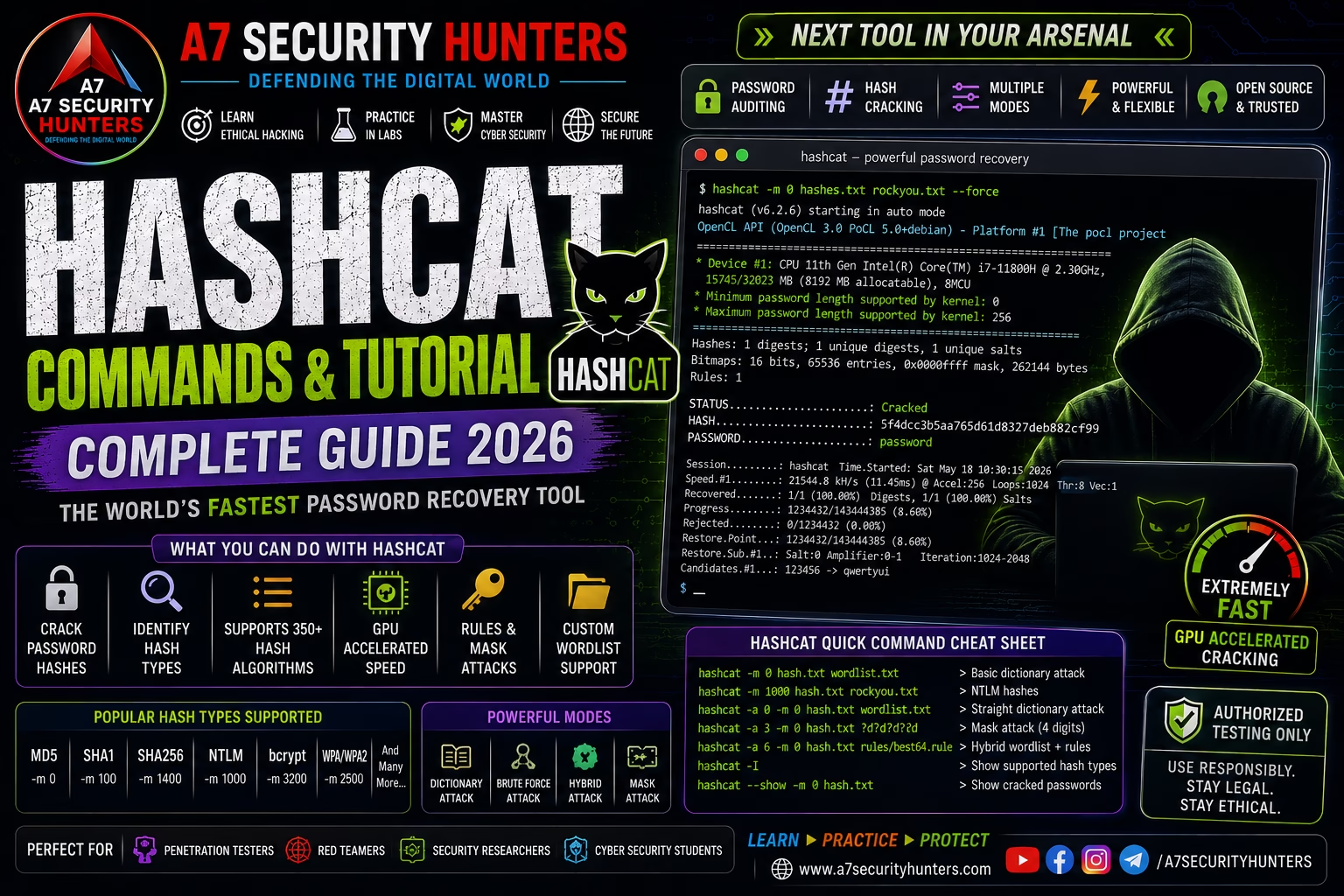
Complete Hashcat guide covering installation, attack modes, mask attacks, dictionary attacks, combination attacks, hybrid attacks, hash identification, rules, wordlists, GPU acceleration, troubleshooting, practical lab usage, cheat sheets, and FAQs.
What Is Hashcat?
Hashcat is a password-recovery and security-auditing tool designed to test the strength of password hashes in authorized environments. It supports many hash algorithms and attack modes, including dictionary, mask, combination, and rule-based approaches, and can use GPU acceleration for supported workloads.
What is Hashcat used for? Security professionals use Hashcat in authorized environments to audit password strength, test password policies, evaluate exposed password hashes, research hash algorithms, and perform controlled security-lab exercises.
The basic workflow is: identify the hash → select the hash mode → choose an attack mode → run Hashcat → review results → report weaknesses.
Featured Snippet Answers
What is Hashcat used for?
Hashcat is used for password security auditing — testing the strength of password hashes in authorized environments using high-performance GPU acceleration.
Is Hashcat legal?
Hashcat itself is legal software. Testing hashes from systems you own or have explicit written authorization to test is legal; testing hashes without authorization is illegal.
Is Hashcat installed on Kali Linux?
Yes — Hashcat is pre-installed on Kali Linux. The latest version can be updated from the repositories.
What hash types does Hashcat support?
Hashcat supports 300+ hash types including MD5, SHA-1, SHA-256, SHA-512, NTLM, bcrypt, MySQL, PostgreSQL, and many more.
What is the difference between Hashcat and John the Ripper?
Both are password auditing tools. Hashcat is a high-performance, GPU-accelerated tool. John the Ripper is a general-purpose tool focused on Unix/Linux environments.
What is the difference between Hashcat and Hydra?
Hydra is an online authentication auditing tool. Hashcat is an offline password/hash auditing tool that uses GPU acceleration.
Hashcat Tutorial for Beginners
Hashcat is one of the most powerful password security auditing tools available. Security professionals use it to determine whether passwords represented by authorized hashes are sufficiently resistant to common password-guessing techniques.
Why Password Auditing Matters
A password can be technically valid while still being weak from a security perspective. Common passwords, predictable patterns, reused credentials, and short passwords can make authentication systems easier to compromise.
Password auditing helps organizations identify these weaknesses before they are exploited.
How to Install Hashcat
Kali Linux
sudo apt update
sudo apt install hashcat
Ubuntu and Debian
sudo apt update
sudo apt install hashcat
Windows
Download the latest Hashcat binary from the official website:
- Visit hashcat.net/hashcat/
- Download the Windows binary
- Extract the zip file to a directory (e.g.,
C:\hashcat) - Open Command Prompt and navigate to the directory
- Run:
hashcat.exe -Ito list available devices
macOS
brew install hashcat
Verify the Installation
hashcat --version

# Check available devices
hashcat -I
Understanding Hashcat Hash Types
Hashcat supports 300+ hash types. Selecting the correct hash mode is critical for successful password auditing.
| Hash Type | Example Hash | Hashcat Mode |
|---|---|---|
| MD5 | 5f4dcc3b5aa765d61d8327deb882cf99 | -m 0 |
| SHA-1 | 5baa61e4c9b93f3f0682250b6cf8331b7ee68fd8 | -m 100 |
| SHA-256 | 8c6976e5b5410415bde908bd4dee15dfb167a9c873fc4bb8a81f6f2ab448a918 | -m 1400 |
| SHA-512 | 128 characters | -m 1700 |
| NTLM | 8846f7eaee8fb117ad06bdd830b7586c | -m 1000 |
| bcrypt | $2a$10$N9qo8uLOickgx2ZMRZoMyeIjZAgcfl7p92ldGxad68LJZdL17lhWy | -m 3200 |
| MySQL 4.1 | *4ACFE3202A5FF5CF467898FC58AAB1D615029441 | -m 300 |
| SHA-512 crypt | $6$salt$hash | -m 1800 |
List All Supported Hash Types
hashcat --help | grep -E "\[[0-9]+\]"
hashcat --help to see the complete list of supported hash types and their corresponding mode numbers.
Understanding Hashcat Attack Modes
Hashcat supports several attack modes, each suited for different password-auditing scenarios.
| Attack Mode | Hashcat Option | Description |
|---|---|---|
| Dictionary Attack | -a 0 | Tests passwords from a wordlist |
| Combination Attack | -a 1 | Combines two wordlists |
| Mask Attack | -a 3 | Brute force with custom character sets |
| Hybrid Attack | -a 6 | Wordlist + mask |
| Hybrid Attack | -a 7 | Mask + wordlist |
| Association Attack | -a 9 | Wordlist association rules |
Dictionary Attack (Mode 0)
Dictionary attacks test passwords from a supplied wordlist. This is the most common Hashcat attack mode.
hashcat -m 0 -a 0 hashes.txt wordlist.txt
With Rules
hashcat -m 0 -a 0 hashes.txt wordlist.txt -r rules/best64.rule
Popular Wordlist Locations
| Wordlist | Location | Description |
|---|---|---|
| rockyou.txt | /usr/share/wordlists/rockyou.txt | 14 million passwords from RockYou breach |
| SecLists | /usr/share/wordlists/SecLists/ | Comprehensive collection of wordlists |
| Fasttrack | /usr/share/wordlists/fasttrack.txt | Top 10,000 most common passwords |
Mask Attack (Mode 3)
Mask attacks use brute force with custom character sets. This is useful when you know password patterns.
hashcat -m 0 -a 3 hashes.txt ?l?l?l?l?d?d?d?d
Mask Placeholders
| Placeholder | Description | Example |
|---|---|---|
?l | Lowercase letters | a-z |
?u | Uppercase letters | A-Z |
?d | Digits | 0-9 |
?s | Special characters | !@#$%^&* |
?a | All printable ASCII | ?l?u?d?s |
?h | Hex characters (lowercase) | 0-9a-f |
?H | Hex characters (uppercase) | 0-9A-F |
# 8-character password with uppercase + lowercase + digits
hashcat -m 0 -a 3 hashes.txt -1 ?u?l?d ?1?1?1?1?1?1?1?1
Combination Attack (Mode 1)
Combination attacks combine two wordlists by concatenating entries from each list.
hashcat -m 0 -a 1 hashes.txt wordlist1.txt wordlist2.txt
Hybrid Attack (Modes 6 & 7)
Hybrid attacks combine wordlists with mask attacks.
Mode 6 — Wordlist + Mask
hashcat -m 0 -a 6 hashes.txt wordlist.txt ?d?d?d?d
Mode 7 — Mask + Wordlist
hashcat -m 0 -a 7 hashes.txt ?u?l?l?l wordlist.txt
Hashcat Rules
Rules transform words from a wordlist into additional password candidates.
hashcat -m 0 -a 0 hashes.txt wordlist.txt -r rules/best64.rule
Common Rule Files
| Rule File | Description |
|---|---|
best64.rule | 64 most effective rules |
d3ad0ne.rule | Comprehensive rule set |
rockyou-30000.rule | 30,000 rules from rockyou |
OneRuleToRuleThemAll.rule | Extensive rule collection |
Create a Custom Rule
# Create a rule file with common transformations
echo ":" > custom.rule
echo "l" >> custom.rule
echo "u" >> custom.rule
echo "c" >> custom.rule
echo "r" >> custom.rule
echo "$!" >> custom.rule
echo "l$!" >> custom.rule

# Use the custom rule
hashcat -m 0 -a 0 hashes.txt wordlist.txt -r custom.rule
GPU Acceleration
Hashcat can use GPU acceleration for significantly faster password auditing.
hashcat -I
hashcat -m 0 -a 0 hashes.txt wordlist.txt -d 1
hashcat -m 0 -a 0 hashes.txt wordlist.txt -d 1,2
Benchmarking Hashcat
Benchmarking helps security professionals understand the approximate performance of their testing environment.
hashcat -b
hashcat -b -m 0
hashcat -b -d 1
Identifying Hash Types
Several tools can help identify hash types before using Hashcat.
hashid hash.txt
hashcat --identify hash.txt
# Visit https://hashes.com/en/tools/hash_identifier
Understanding Hashcat Output
hashcat (v6.2.6) starting in benchmark mode...
OpenCL API (OpenCL 3.0) - Platform #1 [NVIDIA Corporation]
* Device #1: NVIDIA GeForce RTX 3080, 10240/10240 MB

Session..........: hashcat
Status...........: Running
Hash.Type........: MD5
Hash.Target......: hashes.txt
Time.Started.....: Mon Aug 21 14:23:45 2026
Time.Estimated...: Mon Aug 21 14:24:15 2026
Guess.Base.......: File (wordlist.txt)
Guess.Queue......: 1/1
Speed.#1.........: 12345.6 MH/s
Recovered........: 2/10 (20.00%)
Progress.........: 1234567/10000000 (12.35%)
| Output Element | Meaning |
|---|---|
Session | Current session name |
Status | Running, Exhausted, or Cracked |
Hash.Type | The hash type being tested |
Speed | Hashes per second (MH/s = million/s) |
Recovered | Number of hashes cracked |
Progress | Percentage complete |
Show Cracked Passwords
hashcat -m 0 hashes.txt --show
hashcat -m 0 hashes.txt --show --outfile cracked.txt
Restoring Interrupted Sessions
hashcat -m 0 -a 0 hashes.txt wordlist.txt --session=audit1
hashcat --session=audit1 --restore
hashcat --session=audit1 --status
Common Hashcat Errors
| Error | Possible Cause | Recommended Action |
|---|---|---|
| No hashes loaded | Unsupported or malformed input | Verify the file and selected hash mode |
| No devices found | GPU drivers not installed | Install proper GPU drivers |
| Hash mode not supported | Invalid hash type selection | Check hashcat --help for valid modes |
| File not found | Incorrect path | Verify the filename and directory |
| Out of memory | Wordlist too large | Use smaller wordlist or increase system memory |
| Segmentation fault | Driver or hardware issue | Update drivers; reduce -w workload |
Performance Optimization Tips
Use GPU Acceleration
GPU acceleration can be 10-100x faster than CPU. Use NVIDIA or AMD GPUs with proper drivers.
hashcat -b
Choose the Right Attack Mode
Dictionary attacks are fastest. Use mask attacks only when you know password patterns.
Use Workload Profiles
# -w 1 = Low (CPU/RAM friendly)
# -w 2 = Medium (default)
# -w 3 = High (max performance)
hashcat -m 0 -a 0 hashes.txt wordlist.txt -w 3
Limit Password Length
Use --increment to start with shorter passwords and increase length gradually.
hashcat -m 0 -a 3 hashes.txt ?d?d?d?d --increment
Use Rules Wisely
Rules increase success rates but slow down processing. Use best64.rule as a starting point.
Use Optimized Kernels
hashcat -m 0 -a 0 hashes.txt wordlist.txt -O
Authorized Lab Example — Complete Password Audit
Scenario
You have obtained password hashes from a lab system and need to assess password security using Hashcat.
Step 1 — Identify Hash Type
hashid hashes.txt
# Detected: MD5
Step 2 — Prepare Hash File
Each hash should be on its own line in the hash file.
5f4dcc3b5aa765d61d8327deb882cf99
8c6976e5b5410415bde908bd4dee15dfb167a9c873fc4bb8a81f6f2ab448a918
Step 3 — Run Dictionary Attack
hashcat -m 0 -a 0 hashes.txt /usr/share/wordlists/rockyou.txt
Step 4 — Apply Rules
hashcat -m 0 -a 0 hashes.txt rockyou.txt -r rules/best64.rule
Step 5 — View Results
hashcat -m 0 hashes.txt --show

# Sample output:
# 5f4dcc3b5aa765d61d8327deb882cf99:password123
# 8c6976e5b5410415bde908bd4dee15dfb167a9c873fc4bb8a81f6f2ab448a918:admin
Step 6 — Save Results
hashcat -m 0 hashes.txt --show --outfile cracked.txt
Hashcat vs John the Ripper vs Hydra
| Feature | Hashcat | John the Ripper | Hydra |
|---|---|---|---|
| Primary Use | High-performance hash auditing | General password auditing | Online authentication testing |
| Attack Type | Offline | Offline | Online |
| GPU Acceleration | Excellent | Limited | No |
| Hash Support | 300+ formats | 30+ formats | N/A |
| Protocol Support | N/A | N/A | 50+ protocols |
| Speed | Very Fast (GPU) | Good (CPU) | Network-limited |
| Best For | Large-scale hash recovery | Unix/Linux environments | Authentication service testing |
How to Defend Against Password Attacks
Strong Passwords
Use long, unique passwords and avoid common or predictable patterns. Minimum 12 characters with mixed case, numbers, and symbols.
Multi-Factor Authentication (MFA)
MFA adds an additional security layer beyond passwords. #1 defense against credential attacks.
Modern Hashing Algorithms
Use Argon2id, bcrypt, or PBKDF2 with suitable parameters. Avoid MD5 and SHA-1.
Prevent Password Reuse
Users should not reuse passwords across multiple services. Implement password history policies.
Monitor Authentication
Monitor suspicious login activity, credential attacks, and unusual authentication patterns.
Password Managers
Password managers can generate and store unique credentials for users securely.
Hashcat Best Practices
✔ Do These
- Always get authorization before password auditing
- Start with dictionary attacks (fastest)
- Use GPU acceleration when available
- Apply rules to increase success rate
- Save sessions with
--session - Verify hash types with
hashid - Use
--showto view results - Document findings for reporting
✘ Avoid These
- Never test passwords without authorization
- Don’t share cracked password lists
- Don’t use default wordlists without customization
- Don’t run mask attacks on long passwords
- Don’t ignore hash type detection
- Don’t skip manual verification of findings
Hashcat Cheat Sheet
| Purpose | Command |
|---|---|
| Help | hashcat --help |
| Version | hashcat --version |
| List hash types | hashcat --help \| grep -E "\[[0-9]+\]" |
| Check devices | hashcat -I |
| Benchmark | hashcat -b |
| Dictionary attack | hashcat -m 0 -a 0 hashes.txt wordlist.txt |
| Dictionary with rules | hashcat -m 0 -a 0 hashes.txt wordlist.txt -r best64.rule |
| Mask attack | hashcat -m 0 -a 3 hashes.txt ?l?l?l?l?d?d?d?d |
| Combination attack | hashcat -m 0 -a 1 hashes.txt wordlist1.txt wordlist2.txt |
| Hybrid attack (wordlist + mask) | hashcat -m 0 -a 6 hashes.txt wordlist.txt ?d?d?d |
| Hybrid attack (mask + wordlist) | hashcat -m 0 -a 7 hashes.txt ?u?l?l?l wordlist.txt |
| Show results | hashcat -m 0 hashes.txt --show |
| Save session | hashcat -m 0 -a 0 hashes.txt wordlist.txt --session=audit1 |
| Restore session | hashcat --session=audit1 --restore |
| Status | hashcat --session=audit1 --status |
| Use GPU | hashcat -m 0 -a 0 hashes.txt wordlist.txt -d 1 |
| Optimized kernel | hashcat -m 0 -a 0 hashes.txt wordlist.txt -O |
| Workload profile | hashcat -m 0 -a 0 hashes.txt wordlist.txt -w 3 |
| Incremental mode | hashcat -m 0 -a 3 hashes.txt ?d?d?d?d --increment |
Frequently Asked Questions About Hashcat
What is Hashcat?
Hashcat is a password-recovery and security-auditing tool designed to test the strength of password hashes in authorized environments using GPU acceleration.
Is Hashcat free?
Yes — Hashcat is open-source software released under the MIT license.
Is Hashcat legal?
Hashcat itself is legal software. Testing hashes from systems you own or have explicit written authorization to test is legal; testing hashes without authorization is illegal.
What is Hashcat used for?
Security professionals use Hashcat for password auditing, testing password policies, evaluating exposed password hashes, and performing controlled security-lab exercises.
What hash types does Hashcat support?
Hashcat supports 300+ hash types including MD5, SHA-1, SHA-256, SHA-512, NTLM, bcrypt, MySQL, PostgreSQL, and many more.
What are Hashcat attack modes?
Hashcat supports dictionary (0), combination (1), mask (3), hybrid (6, 7), and association (9) attack modes.
What is a dictionary attack?
A dictionary attack tests passwords from a supplied wordlist. It’s the most common and efficient attack mode.
What is a mask attack?
A mask attack uses brute force with custom character sets. It’s useful when you know password patterns.
Can Hashcat use a GPU?
Yes — Hashcat can use GPU acceleration for significantly faster password auditing. Use hashcat -I to list available devices.
What is the difference between Hashcat and John the Ripper?
Both are password auditing tools. Hashcat is a high-performance, GPU-accelerated tool. John the Ripper is a general-purpose tool focused on Unix/Linux environments.
What is the difference between Hashcat and Hydra?
Hydra is an online authentication auditing tool. Hashcat is an offline password/hash auditing tool that uses GPU acceleration.
Can beginners learn Hashcat?
Yes — Start by learning hash types, hash identification, and dictionary attacks in an authorized lab environment.
What is a Hashcat wordlist?
A wordlist is a file containing a list of potential passwords. Common wordlists include rockyou.txt and SecLists.
How do I use Hashcat with rules?
Use -r to apply rules: hashcat -m 0 -a 0 hashes.txt wordlist.txt -r best64.rule
How do I show Hashcat results?
Use hashcat -m 0 hashes.txt --show to display cracked passwords.
How do I save a Hashcat session?
Use --session to save progress: hashcat -m 0 -a 0 hashes.txt wordlist.txt --session=audit1
How do I restore a Hashcat session?
Use --restore: hashcat --session=audit1 --restore
What is Hashcat incremental mode?
Incremental mode (--increment) starts with shorter passwords and increases length gradually.
What is the Hashcat pot file?
The pot file stores cracked password hashes to avoid re-cracking them.
Can Hashcat be used for cybersecurity training?
Yes — It is useful for controlled password-security labs and ethical hacking education.
How can organizations defend against password auditing attacks?
Use strong passwords, MFA, modern hashing algorithms, prevent password reuse, and monitor authentication activity.
Hashcat: Quick Expert Summary
Hashcat is a high-performance password auditing tool. It helps cybersecurity professionals evaluate password-hash strength in authorized environments using GPU acceleration.
The most important concepts to learn are: hash types, hash modes, attack modes, wordlists, rules, mask attacks, GPU acceleration, sessions, and defensive password security.
A professional workflow should always include authorization, hash identification, controlled testing, evidence collection, remediation, and retesting.
Official & Authoritative Resources
OWASP
OWASP Password Security Resources
Password security guidance for application security professionals.
Learn Ethical Hacking & Cybersecurity
Want to learn password security, Linux, penetration testing, network security, vulnerability assessment, and ethical hacking through practical cybersecurity training?
Explore cybersecurity training and ethical hacking resources from A7 Security Hunters.
© A7 Security Hunters. Educational cybersecurity content. Use security tools only on systems, accounts, and password hashes that you own or are explicitly authorized to assess.
Last Updated: August 2026