Table of Contents
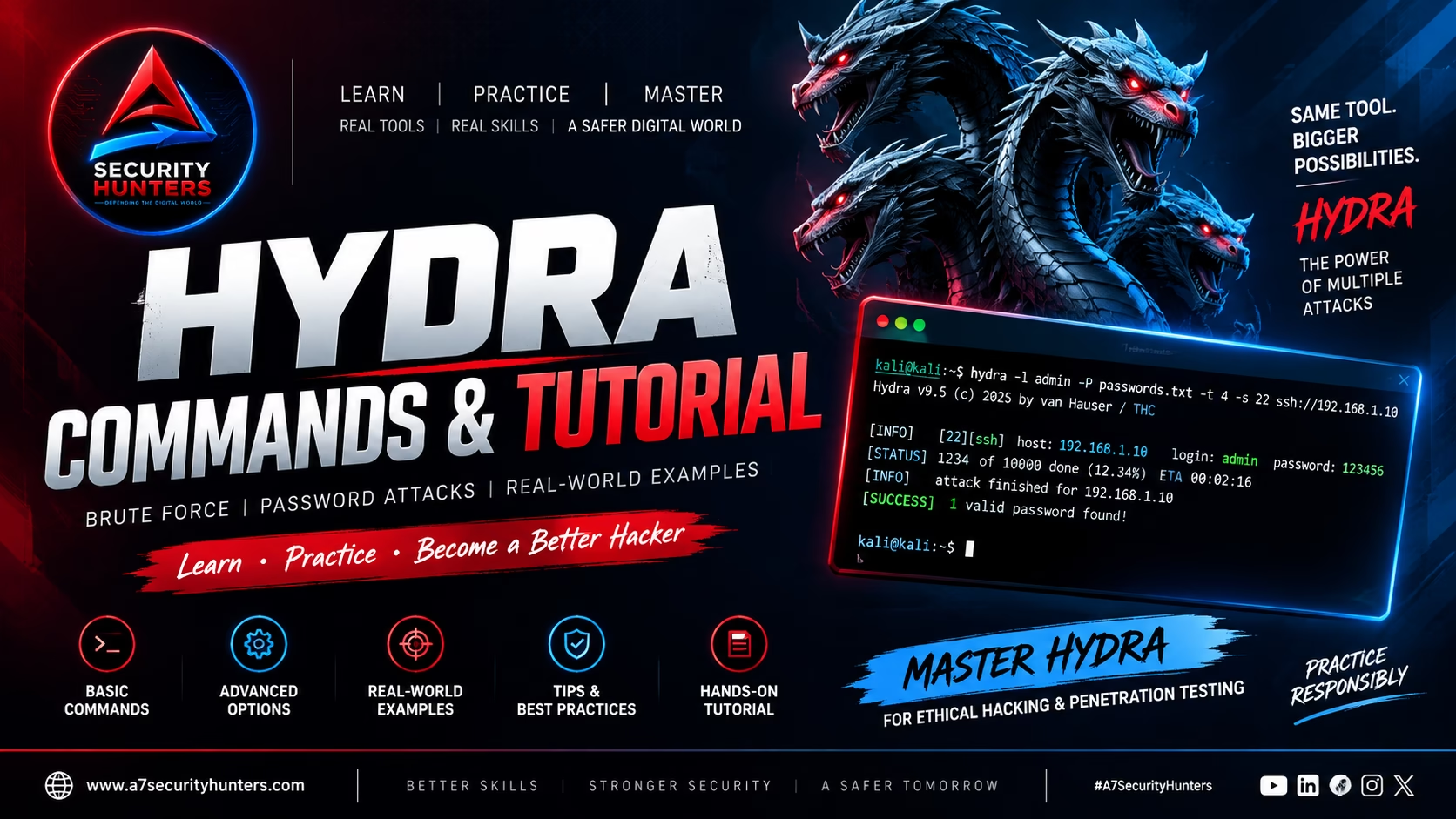
ToggleHydra Commands & Tutorial (2026) — Complete THC-Hydra Guide
Master Hydra with practical commands, authentication security concepts, protocol testing, wordlists, troubleshooting, and authorized cybersecurity lab examples. Built for Google, ChatGPT, Gemini, Claude, Perplexity, and Copilot readability (AEO · GEO · LLMO · AI SEO).
100+ Commands30+ FAQs15+ Tables50+ Protocols15+ Sources⚡ 60-Second Summary
THC-Hydra is a network authentication auditing tool used by security professionals to evaluate the strength of login mechanisms against authorized systems. It supports numerous network protocols including SSH, FTP, HTTP, SMB, RDP, MySQL, and many more — making it an essential tool for authentication security testing.
- Protocol Testing: Supports 50+ network protocols and services
- Wordlist Attacks: Uses username and password lists for authentication testing
- Parallel Testing: Tests multiple login attempts simultaneously for efficiency
- Flexible Output: Save results to files for reporting and analysis
- Integration: Works with Nmap, Metasploit, and other security tools
Remember one command first: hydra -l admin -P /usr/share/wordlists/rockyou.txt ssh://192.168.1.10 — basic SSH authentication auditing with a wordlist.
Quick Answer: What Is Hydra?
THC-Hydra (often called simply Hydra) is a network authentication auditing tool used by security professionals to evaluate the strength of login mechanisms against authorized systems. It supports numerous network protocols including SSH, FTP, HTTP, SMB, RDP, MySQL, and many more. Hydra performs parallel attacks, testing multiple login attempts simultaneously to efficiently assess authentication security.
Core workflow: hydra -l username -P wordlist.txt protocol://target → test authentication → identify weak credentials → report findings.
Featured Snippet Answers
Short, extractable answers designed for answer engines. Each is written to be quoted directly by Google, ChatGPT, Gemini, Claude, Perplexity, and Copilot.
What is THC-Hydra?
THC-Hydra is an open-source network authentication auditing tool that tests the strength of login credentials across multiple network protocols. It supports over 50 protocols including SSH, FTP, HTTP, SMB, RDP, MySQL, and many more.
What is Hydra used for?
Hydra is used for authorized authentication security auditing — testing the strength of login mechanisms on network services. Security professionals use it to identify weak passwords, misconfigured authentication, and accounts that are vulnerable to credential attacks.
Is Hydra legal?
Hydra itself is legal software used by security professionals worldwide. However, how you use it determines legality — testing systems you own or have explicit written authorization to test is legal; testing systems without authorization is illegal and violates computer-misuse laws.
Is Hydra installed on Kali Linux?
Yes — Hydra is pre-installed on Kali Linux. It’s also available in the official repositories of most Linux distributions and can be installed via package managers.
What protocols does Hydra support?
Hydra supports over 50 protocols including SSH, FTP, HTTP (GET/POST), HTTPS, SMB/CIFS, RDP, MySQL, PostgreSQL, Oracle, SMTP, POP3, IMAP, VNC, Cisco AAA, Telnet, SNMP, and many more.
What is the difference between Hydra and Hashcat?
Hydra is an online authentication auditing tool — it tests live services by sending login attempts over the network. Hashcat is an offline password/hash recovery tool — it cracks password hashes locally without interacting with live services.
Beginner’s Guide to Hydra and Authentication Security
What Is Authentication Security Testing?
Authentication is the process of verifying a user’s identity — typically through a username and password combination. Authentication security testing is the practice of evaluating these login mechanisms for weaknesses, including:
- Weak passwords: Passwords that are common, short, or easily guessable
- Missing rate limiting: No restrictions on repeated failed attempts
- No account lockout: Accounts don’t lock after multiple failed attempts
- Default credentials: Default usernames and passwords left unchanged
- Information disclosure: Error messages that reveal valid usernames
How Hydra Works
Hydra works by systematically testing username and password combinations against a target service. It uses the following workflow:
Why Authentication Security Matters
Credential-related attacks are among the most common and successful attack vectors:
- Verizon DBIR 2025: Credential abuse was the #1 initial access vector at 22% of all breaches
- CISA KEV: Multiple authentication bypass and credential-related vulnerabilities are actively exploited
- IBM Cost of a Data Breach 2025: Compromised credentials are consistently among the most costly attack vectors
- OWASP Top 10 (2021): Identification & Authentication Failures (A07) is a critical vulnerability category
Installation Guide
Kali Linux (Recommended)
Hydra is pre-installed on Kali Linux. To update to the latest version:
sudo apt update
sudo apt install hydra -y
# Verify installation
hydra -h
Linux (Debian/Ubuntu)
sudo apt update
sudo apt install hydra -y
# Install additional protocol support
sudo apt install hydra-gtk -y  # GUI version (optional)
Linux (RHEL/CentOS/Fedora)
sudo dnf install hydra -y
# Or on older RHEL/CentOS
sudo yum install hydra -y
macOS
# Using Homebrew
brew install hydra

# Or from source (requires Xcode)
git clone https://github.com/vanhauser-thc/thc-hydra
cd thc-hydra
./configure
make
sudo make install
Windows
Hydra on Windows requires compiling from source or using WSL (Windows Subsystem for Linux). The recommended approach:
- Install WSL 2 with Ubuntu/Debian from the Microsoft Store
- Launch the WSL terminal
- Install Hydra:
sudo apt install hydra
Verify Installation
hydra -V
# Hydra v9.5 (c) 2024 by van Hauser/THC & David Maciejak

# List supported protocols
hydra -h | grep -i supported
Hydra Syntax — The Basics
Every Hydra command follows this general syntax:
hydra [options] [service://]target[:port]
| Component | Description | Example |
|---|---|---|
options | Flags controlling the attack (wordlists, threads, etc.) | -l admin -P wordlist.txt |
service | Protocol to test (ssh, ftp, http-get, etc.) | ssh, ftp, http-post |
target | IP address or hostname | 192.168.1.10 or target.com |
port | Port number (optional, default varies by protocol) | :22, :443 |
hydra -l admin -P passwords.txt ssh://192.168.1.10 — tests the username “admin” with all passwords in a file against an SSH server.Basic Hydra Options
| Option | Purpose | Example |
|---|---|---|
-l | Single username | hydra -l admin ... |
-L | Username list file | hydra -L usernames.txt ... |
-p | Single password | hydra -p password123 ... |
-P | Password list file | hydra -P passwords.txt ... |
-C | File with colon-separated user:pass pairs | hydra -C credentials.txt ... |
-t | Number of parallel tasks (threads) | hydra -t 8 ... |
-w | Wait time between attempts (seconds) | hydra -w 5 ... |
-W | Wait time between attempts (milliseconds) | hydra -W 1000 ... |
-o | Output file | hydra -o results.txt ... |
-v / -V | Verbose / very verbose output | hydra -V ... |
-f | Stop after finding one valid credential | hydra -f ... |
-s | Custom port (overrides default) | hydra -s 2222 ... |
-x | Generate password patterns (min:max:charset) | hydra -x 8:10:a ... |
-M | Multiple target hosts (file) | hydra -M targets.txt ... |
-R | Resume a previous session | hydra -R ... |
# Single username + password list + verbose + output
hydra -l admin -P /usr/share/wordlists/rockyou.txt -V -o results.txt ssh://192.168.1.10

# Username list + password list + 8 threads + stop on success
hydra -L users.txt -P passwords.txt -t 8 -f ftp://192.168.1.10

# Colon-separated credentials + verbose
hydra -C creds.txt -V http-post://192.168.1.10/login.php
Understanding Hydra Protocol Modules
Hydra supports over 50 protocols. Here’s a breakdown of the most commonly used ones:
protocol://target in the command. For web forms, use http-get or http-post with the path.Wordlists and Authentication Testing
Wordlists are the foundation of authentication auditing. Hydra supports several ways to provide usernames and passwords.
Wordlist Sources
- /usr/share/wordlists/rockyou.txt — The most common Kali wordlist
- /usr/share/wordlists/SecLists/ — Comprehensive collection
- Custom wordlists — Built from company names, years, common patterns
- CeWL — Custom wordlist generator from website content
- Crunch — Generate password patterns
Hydra Wordlist Options
-l username— Single username-L usernames.txt— Username list-p password— Single password-P passwords.txt— Password list-C creds.txt— Colon-separated user:pass pairs-x 8:10:a— Generate passwords (min:max:charset)
# Use rockyou (most common)
hydra -l admin -P /usr/share/wordlists/rockyou.txt ssh://192.168.1.10

# Use SecLists (more comprehensive)
hydra -l admin -P /usr/share/wordlists/SecLists/Passwords/Common-Credentials/10-million-password-list-top-1000000.txt ssh://192.168.1.10

# Generate passwords with crunch and pipe to Hydra
crunch 6 8 0123456789 | hydra -l admin -P - ssh://192.168.1.10
SSH Authentication Auditing
SSH is one of the most common services targeted by credential attacks. Hydra can test SSH services efficiently.
hydra -l admin -P /usr/share/wordlists/rockyou.txt ssh://192.168.1.10
hydra -L users.txt -P passwords.txt ssh://192.168.1.10
hydra -l admin -P passwords.txt -s 2222 ssh://192.168.1.10
hydra -C ssh_creds.txt ssh://192.168.1.10

# ssh_creds.txt format:
# admin:password123
# root:toor
# user:passw0rd
hydra -l admin -P passwords.txt -V -o ssh_results.txt ssh://192.168.1.10
FTP Authentication Auditing
FTP is often misconfigured and remains a common target for credential attacks.
hydra -l ftpuser -P /usr/share/wordlists/rockyou.txt ftp://192.168.1.10
hydra -l admin -P passwords.txt -s 2121 ftp://192.168.1.10
hydra -L ftp_users.txt -P passwords.txt ftp://192.168.1.10
hydra -C ftp_creds.txt ftp://192.168.1.10
HTTP Authentication Testing
Hydra can test both HTTP Basic Authentication and web form logins.
HTTP Basic Authentication
hydra -l admin -P passwords.txt http-get://192.168.1.10/admin/
HTTP GET Form Testing
# Format: http-get://host/path?param1=^USER^¶m2=^PASS^
hydra -l admin -P passwords.txt "http-get://192.168.1.10/login.php?username=^USER^&password=^PASS^"
HTTP POST Form Testing
# Format: http-post://host/path:param1=^USER^¶m2=^PASS^
hydra -l admin -P passwords.txt "http-post://192.168.1.10/login.php:username=^USER^&password=^PASS^&Login=Login"
HTTPS with Custom Port
hydra -l admin -P passwords.txt -s 8443 "https-post://192.168.1.10/admin/login.php:user=^USER^&pass=^PASS^"
HTTP with Custom Headers
# Using -H for custom headers
hydra -l admin -P passwords.txt -H "User-Agent: Hydra" http-get://192.168.1.10
^USER^ and ^PASS^.SMB Authentication Auditing
SMB (Server Message Block) is used by Windows file sharing and is a common target for credential attacks.
hydra -l administrator -P /usr/share/wordlists/rockyou.txt smb://192.168.1.10
# For domain-joined systems
hydra -l DOMAIN\\administrator -P passwords.txt smb://192.168.1.10
hydra -L windows_users.txt -P passwords.txt smb://192.168.1.10
RDP Authentication Auditing
RDP (Remote Desktop Protocol) is a high-value target for attackers. Hydra can test RDP services.
hydra -l administrator -P /usr/share/wordlists/rockyou.txt rdp://192.168.1.10
hydra -l admin -P passwords.txt -s 3389 rdp://192.168.1.10
hydra -l DOMAIN\\username -P passwords.txt rdp://192.168.1.10
Database Authentication Testing
Hydra supports testing multiple database authentication mechanisms.
MySQL
hydra -l root -P /usr/share/wordlists/rockyou.txt mysql://192.168.1.10
PostgreSQL
hydra -l postgres -P passwords.txt postgresql://192.168.1.10
Microsoft SQL Server
hydra -l sa -P passwords.txt mssql://192.168.1.10
Redis
hydra -P passwords.txt redis://192.168.1.10
Advanced Hydra Options
| Option | Purpose | Example |
|---|---|---|
-e nsr | Try additional password checks | hydra -e nsr ... (n=null, s=same as user, r=reverse) |
-u | Loop through users before passwords | hydra -u -L users.txt -P passwords.txt ... |
-T | Total number of parallel tasks (global) | hydra -T 16 ... |
-d | Debug mode | hydra -d ... |
-F | Exit after first successful login per host | hydra -F ... |
-q | Quiet mode (no banner) | hydra -q ... |
-U | List supported protocols | hydra -U |
-I | Ignore existing restore file | hydra -I ... |
-b | Set banner format | hydra -b raw ... |
-h | Show help | hydra -h |
# Try null passwords, username as password, and reverse username
hydra -e nsr -l admin -P passwords.txt ssh://192.168.1.10

# Loop through users before passwords (more efficient)
hydra -u -L users.txt -P passwords.txt ftp://192.168.1.10

# Total 16 parallel tasks globally
hydra -T 16 -l admin -P passwords.txt ssh://192.168.1.10

# Debug mode for troubleshooting
hydra -d -l admin -P passwords.txt ssh://192.168.1.10
Reading Hydra Output
Hydra provides clear output indicating the results of the authentication audit.
Hydra v9.5 (c) 2024 by van Hauser/THC & David Maciejak - Please do not use in military or secret service organizations, or for illegal purposes (this is human warning, see -s for additional).

[DATA] max 8 tasks per 1 server, overall 8 tasks, 8 login tries (l:1/p:8), ~1 try per task
[DATA] attacking ssh://192.168.1.10:22/
[22][ssh] host: 192.168.1.10   login: admin   password: password123
[22][ssh] host: 192.168.1.10   login: root   password: toor
[STATUS] attack finished for 192.168.1.10 (waiting for children to complete)
1 of 1 target successfully completed, 2 valid passwords found
Hydra (https://github.com/vanhauser-thc/thc-hydra) finished at 2024-12-15 14:23:45
| Output Element | Meaning |
|---|---|
[DATA] | Information about the attack configuration |
[port][protocol] | Successful login found on that port/protocol |
host: IP | The target host |
login: username | The username that worked |
password: password | The password that worked |
[STATUS] | Status updates during the attack |
X valid passwords found | Total successful logins discovered |
-o results.txt for reporting. Use -V for very verbose output to see every attempt in real-time.Common Hydra Errors & Solutions
| Error | Cause | Solution |
|---|---|---|
Connection refused | Service not running or wrong port | Verify service is running; check port number with -s |
Connection timed out | Firewall blocking; host unreachable | Check firewall rules; verify network connectivity |
No valid passwords found | Wordlist doesn’t contain valid credentials | Try a different wordlist; verify target is up |
hydra: command not found | Hydra not installed | Install Hydra: sudo apt install hydra |
Permission denied | Not enough permissions | Use sudo if needed; verify file permissions |
Protocol not supported | Module not compiled | Recompile with protocol support; check hydra -U |
Too many authentication failures | Account lockout triggered | Reduce threads (-t); increase delay (-w) |
No route to host | Network unreachable | Check IP address; verify network routing |
Hydra vs Other Authentication Tools
| Tool | Primary Use | Best For |
|---|---|---|
| Hydra | Online authentication auditing | Testing live network services |
| Hashcat | Offline password/hash recovery | Cracking password hashes locally |
| John the Ripper | Password and hash auditing | Offline password cracking |
| Nmap | Network discovery | Identifying services and open ports |
| Burp Suite | Web application testing | Web form authentication testing |
| Medusa | Online authentication auditing | Alternative to Hydra |
| Ncrack | Online authentication auditing | High-speed authentication testing |
Hydra vs Medusa vs Ncrack
| Feature | Hydra | Medusa | Ncrack |
|---|---|---|---|
| Protocol Support | 50+ | 20+ | 10+ |
| Parallel Threads | Yes | Yes | Yes |
| Resume Support | Yes | No | Yes |
| Modular Design | Yes | Yes | No |
| Speed | Fast | Fast | Very Fast |
| Active Development | Yes | Limited | Limited |
| Kali Linux Default | Yes | No | No |
Authorized Lab Methodology
The A7 Authentication Auditing Framework
A — Assess
- Define scope: Identify which services and systems are in scope
- Obtain authorization: Written permission including testing window and rules of engagement
- Set expectations: Agree on test depth, wordlist usage, and reporting requirements
7 — The Seven Phases
Phases 1–2 · Recon & Identify
- Use Nmap to discover open ports and services
- Identify service versions and authentication mechanisms
- Example:
nmap -sV 192.168.1.10
Phases 3–4 · Wordlist & Execute
- Select appropriate wordlists (targeted vs general)
- Run Hydra with appropriate options
- Example:
hydra -l admin -P rockyou.txt ssh://192.168.1.10
Phases 5–6 · Validate & Analyze
- Manually verify successful logins
- Assess impact (privileges, data access, etc.)
- Document context and risk level
Phase 7 · Report
- Document findings with evidence
- Include affected accounts and services
- Provide remediation recommendations
Lab Example — Complete Authentication Audit
Scenario: A lab environment with multiple services requiring authentication.
nmap -sV 192.168.1.10
# PORT   STATE SERVICE VERSION
# 22/tcp open  ssh     OpenSSH 8.9p1
# 80/tcp open  http    Apache 2.4.56
# 21/tcp open  ftp     vsftpd 3.0.5
hydra -l admin -P /usr/share/wordlists/rockyou.txt -V -o ssh_results.txt ssh://192.168.1.10
hydra -l ftpuser -P /usr/share/wordlists/rockyou.txt ftp://192.168.1.10
hydra -l admin -P passwords.txt "http-post://192.168.1.10/login.php:username=^USER^&password=^PASS^&Login=Login"
Step 5 — Report findings
- SSH: admin:password123 — Critical, admin access
- FTP: ftpuser:ftpuser — Default credentials, full file access
- HTTP: admin:admin — Default credentials, admin dashboard access
How to Defend Against Online Password Attacks
Understanding how to defend against authentication attacks is as important as knowing how to test for them. Here are the key defensive measures:
Multi-Factor Authentication (MFA)
#1 defense against credential attacks. Even if passwords are compromised, MFA prevents unauthorized access. Implement MFA for all critical systems and accounts.
Rate Limiting
Limit the number of login attempts per source IP per time period. Hydra’s parallel attempts will be blocked by effective rate limiting.
Account Lockout Policies
Lock accounts after a defined number of failed attempts (e.g., 5 failed attempts in 5 minutes). This forces attackers to slow down and increases detection risk.
Strong Password Policies
Enforce minimum password length (12+ characters), complexity requirements, and password history to prevent reuse of common passwords.
Monitoring & Alerting
Monitor for failed login attempts, especially multiple failures from the same source. Alerts should trigger for anomalous authentication patterns.
Disable Default Credentials
Change or disable all default credentials on new systems. Check default credential lists regularly.
IP Blocklisting
Block known malicious IPs and implement geo-ip filtering for services that don’t require international access.
Security Awareness Training
Educate users about password security, phishing risks, and the importance of unique passwords for each service.
Hydra Best Practices
✔ Do These
- Always get written authorization before testing
- Start with small targeted wordlists for speed
- Use
-V(verbose) to monitor progress - Save output with
-ofor reporting - Use
-e nsrto test common password variations - Validate findings manually
- Document all findings with evidence
- Test during approved maintenance windows
✘ Avoid These
- Never test systems without authorization
- Don’t use default settings without understanding them
- Don’t use too many threads (
-t) on production - Don’t ignore rate limiting and account lockout
- Don’t run Hydra on sensitive production systems
- Don’t share wordlists with credentials in plaintext
- Don’t skip validation of findings
Hydra Cheat Sheet
| Use Case | Command |
|---|---|
| Single username + password list | hydra -l admin -P passwords.txt ssh://target |
| Username list + password list | hydra -L users.txt -P passwords.txt ssh://target |
| Colon-separated credentials | hydra -C creds.txt ssh://target |
| HTTP POST form | hydra -l admin -P passwords.txt "http-post://target/path:user=^USER^&pass=^PASS^" |
| HTTP Basic Auth | hydra -l admin -P passwords.txt http-get://target/admin/ |
| FTP audit | hydra -l admin -P passwords.txt ftp://target |
| SMB audit | hydra -l administrator -P passwords.txt smb://target |
| RDP audit | hydra -l admin -P passwords.txt rdp://target |
| MySQL audit | hydra -l root -P passwords.txt mysql://target |
| Custom port | hydra -s 2222 -l admin -P passwords.txt ssh://target |
| Verbose output | hydra -V -l admin -P passwords.txt ssh://target |
| Save output | hydra -o results.txt -l admin -P passwords.txt ssh://target |
| Stop on success | hydra -f -l admin -P passwords.txt ssh://target |
| Multiple targets | hydra -M targets.txt -l admin -P passwords.txt ssh |
| Extra password checks | hydra -e nsr -l admin -P passwords.txt ssh://target |
| Generate passwords | hydra -x 8:10:a -l admin ssh://target |
Frequently Asked Questions (30+ Answers)
What is Hydra?
THC-Hydra is an open-source network authentication auditing tool that tests the strength of login credentials across multiple network protocols. It supports over 50 protocols including SSH, FTP, HTTP, SMB, RDP, and MySQL.
What is THC-Hydra used for?
Hydra is used for authorized authentication security auditing — testing the strength of login mechanisms on network services to identify weak passwords and misconfigured authentication.
Is Hydra legal?
Hydra itself is legal software. Testing systems you own or have explicit written authorization to test is legal; testing systems without authorization is illegal.
Is Hydra installed on Kali Linux?
Yes — Hydra is pre-installed on Kali Linux. Update with sudo apt update && sudo apt install hydra.
What protocols does Hydra support?
Hydra supports over 50 protocols including SSH, FTP, HTTP (GET/POST), HTTPS, SMB/CIFS, RDP, MySQL, PostgreSQL, Oracle, SMTP, POP3, IMAP, VNC, Cisco AAA, Telnet, SNMP, and many more.
What is the difference between Hydra and Hashcat?
Hydra is an online authentication auditing tool — it tests live services by sending login attempts over the network. Hashcat is an offline password/hash recovery tool — it cracks password hashes locally.
What is the difference between Hydra and John the Ripper?
Hydra tests live network services (online). John the Ripper cracks password hashes locally (offline). They serve different purposes in the security testing workflow.
How do I use Hydra for SSH?
hydra -l admin -P passwords.txt ssh://target tests the username “admin” with passwords from the file against an SSH server.
How do I use Hydra for HTTP POST forms?
hydra -l admin -P passwords.txt "http-post://target/login.php:username=^USER^&password=^PASS^&Login=Login". Replace parameter names with the ones from the target form.
What is the -L flag in Hydra?
-L specifies a file containing a list of usernames to test. Example: hydra -L users.txt -P passwords.txt ssh://target.
What is the -P flag in Hydra?
-P specifies a file containing a list of passwords to test. Example: hydra -l admin -P passwords.txt ssh://target.
What is the -C flag in Hydra?
-C specifies a file containing colon-separated username:password pairs. Example: hydra -C creds.txt ssh://target.
What does the -t flag do in Hydra?
-t sets the number of parallel tasks (threads). Example: hydra -t 8 -l admin -P passwords.txt ssh://target.
What does the -V flag do in Hydra?
-V enables very verbose output, showing every login attempt in real-time. Useful for monitoring progress.
How do I save Hydra output?
Use -o filename to save output to a file. Example: hydra -o results.txt -l admin -P passwords.txt ssh://target.
What is the -f flag in Hydra?
-f stops the attack after finding one valid credential. Useful for quick checks to see if a service is vulnerable.
What is the -s flag in Hydra?
-s specifies a custom port number. Example: hydra -s 2222 -l admin -P passwords.txt ssh://target.
What is the -e flag in Hydra?
-e nsr tries additional password checks: n=null password, s=same as username, r=reverse username. Example: hydra -e nsr -l admin -P passwords.txt ssh://target.
What is the -x flag in Hydra?
-x generates password patterns. Example: hydra -x 8:10:a -l admin ssh://target generates passwords of length 8-10 using lowercase letters.
How do I use Hydra with a wordlist?
Use -P for password list: hydra -l admin -P /usr/share/wordlists/rockyou.txt ssh://target. Kali includes many wordlists in /usr/share/wordlists/.
What are the best Hydra wordlists?
rockyou.txt (Kali default) is the most common starting point. SecLists provides more comprehensive collections. Custom wordlists built from company-specific terms are often most effective.
How do I use Hydra with multiple targets?
Use -M targets.txt to specify a file with one target per line. Example: hydra -M targets.txt -l admin -P passwords.txt ssh.
What is the difference between Hydra and Medusa?
Both are online authentication auditing tools. Hydra supports more protocols (50+ vs 20+), has better active development, and is the Kali Linux default.
Can Hydra detect account lockout?
Hydra doesn’t automatically detect lockouts, but you’ll see “authentication failure” responses. Reduce threads (-t) and increase delay (-w) to avoid triggering lockouts.
How do I stop Hydra?
Press Ctrl+C once to interrupt. Press twice to force exit. Use -R to resume a previous session.
What is the Hydra restore file?
Hydra saves progress to ~/.hydra.restore. Use -R to resume a previously interrupted session.
How do I install Hydra on Windows?
The recommended approach is to install WSL 2 (Ubuntu) and run Hydra through the Linux environment. Compiling from source on Windows is complex and not recommended.
Is Hydra used for ethical hacking?
Yes — Hydra is a standard tool in ethical hacking and penetration testing for authorized authentication security assessments.
What is the best Hydra alternative?
Medusa and Ncrack are the most common alternatives. Burp Suite is preferred for web form testing. Hashcat is for offline cracking.
How do I use Hydra for FTP?
hydra -l ftpuser -P passwords.txt ftp://target. Replace “ftpuser” with the target username or use -L for a username list.
References & Authoritative Sources
Official source code, documentation, and issue tracking.
Kali Linux documentation and installation guide.
Comprehensive information on brute force attacks and defenses.
Identification & Authentication Failures (A07).
Credential abuse as the #1 initial access vector.
Credential-related vulnerabilities exploited in the wild.
Complementary tool for service discovery before authentication testing.
Comprehensive wordlist collection for authentication testing.
Industry data on credential-related breach costs.