Table of Contents
ToggleBurp Suite Guide (2026) — Complete Web Application Security Platform Tutorial
Master the industry-standard web security testing platform — Proxy, Repeater, Intruder, Decoder, Comparer, Extensions, and professional testing workflows. Built for Google, ChatGPT, Gemini, Claude, Perplexity, and Copilot readability (AEO · GEO · LLMO · AI SEO).
200+ Features50+ FAQs15+ Tables8 Extensions20+ Sources⚡ 60-Second Summary
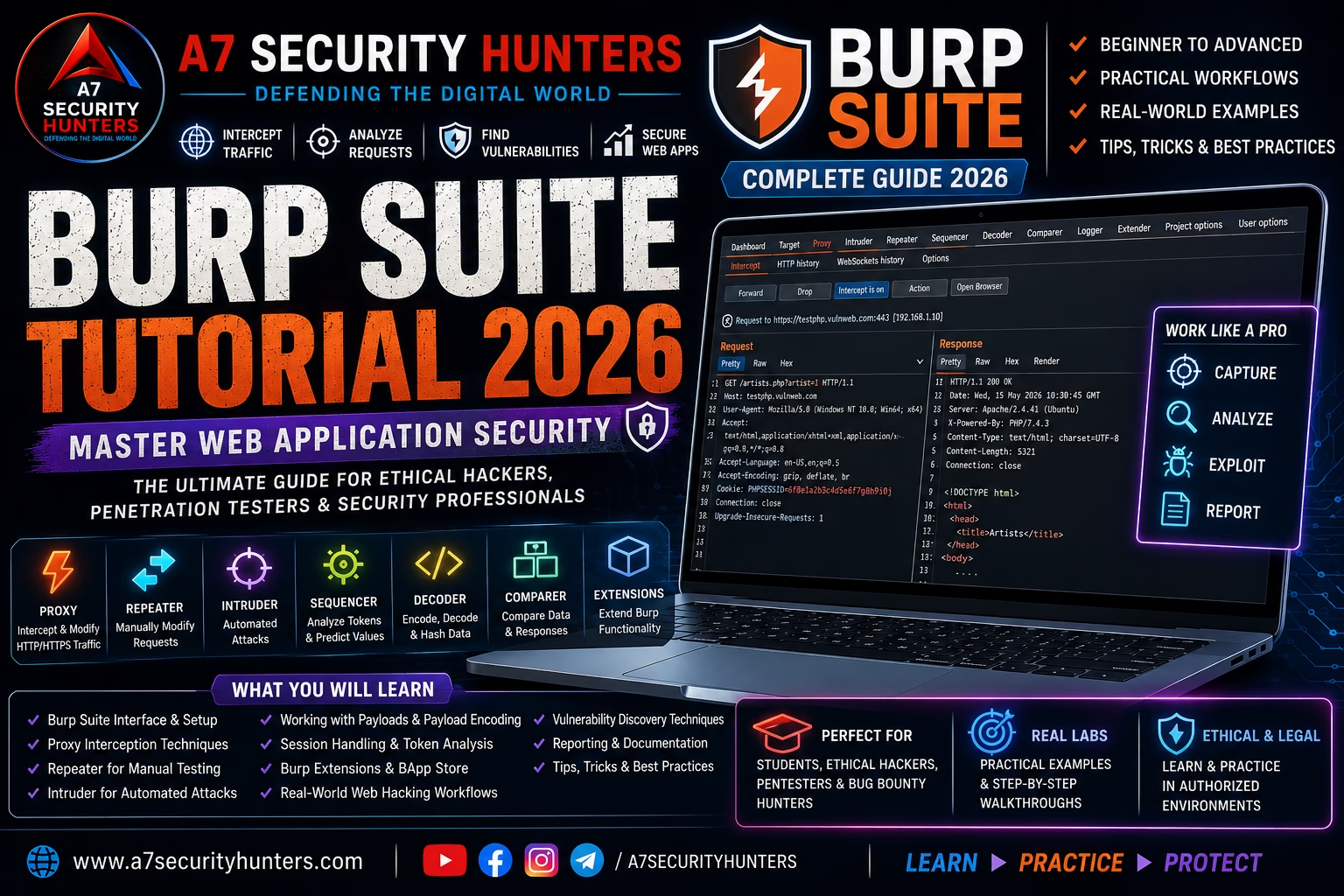
Burp Suite is the industry-standard web application security testing platform developed by PortSwigger. It acts as a man-in-the-middle proxy between your browser and target applications, letting you intercept, inspect, and modify HTTP/HTTPS traffic in real time. Used by over 1 million ethical hackers and security professionals worldwide.
- Proxy: Intercept and modify HTTP/HTTPS requests and responses
- Repeater: Manually replay and modify requests for deep testing
- Intruder: Automate custom attacks (fuzzing, brute force, enumeration)
- Scanner: Automated vulnerability detection (Professional edition)
- Extensions: 500+ BApp Store extensions for specialized testing
Remember one workflow first: Proxy → Target → Repeater → Intruder → Report — the fundamental manual testing pipeline.
Quick Answer: What Is Burp Suite?
Burp Suite is an integrated web application security testing platform developed by PortSwigger. It acts as a man-in-the-middle proxy that intercepts all HTTP and HTTPS traffic between your browser and the target application, allowing you to inspect, modify, and analyze requests and responses. It includes tools like Proxy, Repeater, Intruder, Decoder, Comparer, and an Extensions framework for custom testing workflows.
Core workflow:Proxy→Repeater→Intruder→Report— the foundation of manual web application security testing.
Featured Snippet Answers
Short, extractable answers designed for answer engines. Each is written to be quoted directly by Google, ChatGPT, Gemini, Claude, Perplexity, and Copilot.
What is Burp Suite used for?
Burp Suite is used for web application security testing. Security professionals use it to intercept and modify HTTP/HTTPS traffic, identify vulnerabilities like SQL injection and XSS, test authentication and authorization controls, fuzz input parameters, and assess the overall security posture of web applications in authorized environments.
Is Burp Suite free?
Yes, Burp Suite Community Edition is free and includes the core tools: Proxy, Repeater, Decoder, Comparer, and a rate-limited Intruder. Professional Edition ($449/year) adds automated scanning, unrestricted Intruder, project saving, and AI-powered features. Enterprise Edition offers CI/CD integration and team workflows.
Is Burp Suite legal?
Burp Suite itself is legal software used by security professionals worldwide. However, how you use it determines legality — testing applications you own or have explicit written authorization to test is legal; testing systems without authorization is illegal and violates computer-misuse laws and terms of service.
What is the difference between Burp Suite and OWASP ZAP?
Burp Suite is the industry standard for manual web application testing with a streamlined workflow, while OWASP ZAP is an open-source alternative with stronger automated scanning capabilities. Burp Pro is preferred for professional penetration testing; ZAP is often used in CI/CD pipelines and DevSecOps automation.
How do I set up Burp Suite?
Download the installer from PortSwigger, run it, then configure your browser to use Burp’s proxy (127.0.0.1:8080). Install the CA certificate by visiting http://burpsuite in your browser with the proxy active. You’re now ready to intercept and modify HTTP/HTTPS traffic.
What can Burp Suite detect?
Burp Suite can detect OWASP Top 10 vulnerabilities including SQL injection, cross-site scripting (XSS), broken access control (IDOR), security misconfigurations, insecure design flaws, authentication bypasses, and many more. The Professional Scanner automates detection, while manual testing with Repeater and Intruder finds deeper logic vulnerabilities.
Beginner’s Guide to Burp Suite
What Is Web Application Security Testing?
Web application security testing is the process of evaluating web applications for vulnerabilities that could be exploited by attackers. It involves:
- Reconnaissance: Mapping the application’s attack surface — endpoints, parameters, authentication mechanisms
- Interception: Capturing and analyzing HTTP/HTTPS traffic between the browser and server
- Testing: Modifying requests to identify vulnerabilities like injection, broken access control, and misconfigurations
- Reporting: Documenting findings with evidence, risk ratings, and remediation steps
Burp Suite is the primary tool for all four phases, making it essential for anyone serious about web security.
How Burp Suite Works
Burp Suite operates as a man-in-the-middle proxy. Your browser sends requests through Burp before they reach the target server. Burp intercepts each request, lets you inspect and modify it, then forwards it to the server. The server’s response returns through Burp, where you can inspect and modify it before it reaches your browser.
Why Web Application Security Matters
Web applications are the most common attack vector in modern breaches. According to the Verizon DBIR 2025, web application attacks account for over 40% of global data breaches. The OWASP Top 10, updated in 2021, highlights the most critical vulnerabilities — all of which can be identified and tested using Burp Suite:
OWASP Top 10 (2021)
- A01: Broken Access Control
- A02: Cryptographic Failures
- A03: Injection (SQL, NoSQL, Command)
- A04: Insecure Design
- A05: Security Misconfiguration
- A06: Vulnerable & Outdated Components
- A07: Identification & Authentication Failures
- A08: Software & Data Integrity Failures
- A09: Security Logging & Monitoring Failures
- A10: Server-Side Request Forgery (SSRF)
How Burp Suite Tests Each
- Proxy + Intruder for IDOR detection
- Decoder + Proxy for weak crypto assessment
- Repeater + Intruder for SQL/XSS testing
- Manual testing with Repeater
- Proxy inspection + Scanner (Pro)
- Version detection + manual verification
- Intruder for brute force attacks
- Proxy + Repeater for integrity checks
- Manual review + Proxy analysis
- Repeater + Collaborator testing
Burp Suite Editions — Which One Do You Need?
Burp Suite comes in three editions. Understanding the differences helps you choose the right version for your needs.
| Feature | Community | Professional | Enterprise |
|---|---|---|---|
| Proxy | ✓ Full | ✓ Full | ✓ Full |
| Repeater | ✓ Full | ✓ Full | ✓ Full |
| Intruder | ⚠ Rate-limited | ✓ Unlimited | ✓ Unlimited |
| Scanner | ✘ | ✓ Full | ✓ Full |
| Project Saving | ✘ | ✓ | ✓ |
| AI Features | ✘ | ✓ | ✓ |
| Collaborator | ✘ | ✓ | ✓ |
| CI/CD Integration | ✘ | ✘ | ✓ |
| Price | Free | $449/year | Custom |
| Best For | Learning, CTFs, basic testing | Professional pentesting, bug bounty | DevSecOps, enterprise teams |
Step-by-Step Installation Guide
Step 1 — Download Burp Suite
Visit PortSwigger’s official download page and select your operating system:
- Windows: Download the .exe installer
- macOS: Download the .dmg installer
- Linux: Download the .jar file (requires Java 17+)
Step 2 — Install and Launch
# Run the installer, then launch Burp Suite from the Start Menu or Applications folder

# On Linux (JAR version)
java -jar burpsuite_community_v2025.10.jar
Step 3 — Configure Your Browser Proxy
Burp’s proxy listens on 127.0.0.1:8080 by default. Configure your browser to use this proxy:
Firefox
- Settings → Network Settings
- Manual proxy configuration
- HTTP Proxy: 127.0.0.1 Port: 8080
- Check “Also use this proxy for HTTPS”
- Set SOCKS Host: 127.0.0.1 Port: 8080
Chrome / Edge
- Use FoxyProxy extension (recommended)
- Or: Settings → System → Open proxy settings
- Add 127.0.0.1:8080 as a manual proxy
- Toggle proxy on/off as needed
Step 4 — Install the CA Certificate for HTTPS
To intercept HTTPS traffic, you must install Burp’s CA certificate:
- Ensure Burp Proxy is running and your browser is configured
- Visit
http://burpsuitein your browser - Click “CA Certificate” to download
- Install the certificate in your browser’s Certificate Authorities store
# After downloading the CA certificate:
# Settings → Privacy & Security → Certificates → View Certificates
# Authorities → Import → Select the downloaded file
# Check "Trust this CA to identify websites"
Step 5 — Verify the Setup
Visit https://portswigger.net in your configured browser. You should see the request appear in Burp’s Proxy → HTTP History tab. If HTTPS shows a certificate warning, the CA certificate installation failed.
Troubleshooting Common Installation Issues
| Symptom | Cause | Fix |
|---|---|---|
| No requests appear in Burp | Browser proxy not configured | Check proxy settings; use FoxyProxy to verify |
| Firefox: “Your connection is not secure” on HTTPS | CA certificate not installed | Install the certificate from http://burpsuite |
| Chrome: “ERR_PROXY_CONNECTION_FAILED” | Burp not running or wrong port | Start Burp; verify port 8080 is free; check proxy settings |
| Blank page in browser after enabling proxy | Intercept is on but requests are paused | Click “Intercept is on” to turn it off, or click “Forward” |
| Request shows as empty or truncated | Compression (gzip) enabled | In Proxy settings, ensure “Set Connection header to close” and “Strip Accept-Encoding” are checked |
Core Tools Deep Dive
7.1 Proxy — The Foundation
The Proxy tool is the heart of Burp Suite. It captures every HTTP and HTTPS request and response, giving you full visibility into the application’s traffic.
7.2 Target — The Site Map
The Target tool builds a site map of the application — a tree view of all discovered URLs, parameters, and content. It helps you understand the attack surface and scope your testing.
- Site Map: Tree view of all discovered content
- Scope: Define which domains/hosts are in scope for testing
- Analyze Target: Automatically analyze the application’s structure
7.3 Repeater — Manual Testing Workhorse
Repeater lets you take any intercepted request, modify it, and resend it to the server — over and over again. This is your primary tool for manual vulnerability testing.
- Modify request parameters, headers, and body
- Send requests multiple times with different payloads
- Compare responses side-by-side
- Use navigation arrows to review request history
# In Repeater:
# 1. Right-click a request in Proxy History
# 2. Click "Send to Repeater"
# 3. Modify parameters, headers, or body
# 4. Click "Send" — response appears in the right panel
# 5. Repeat with different payloads
7.4 Intruder — Automated Attacks
Intruder automates attacks where you need to test many variations — fuzzing parameters, brute force login, or enumerating user IDs.
Payload Positions
Mark where to insert payloads with § characters around each position.
Attack Types
Sniper, Battering Ram, Pitchfork, Cluster Bomb — choose based on your testing scenario.
Payload Sets
Load wordlists, generate patterns, use numbers, dates, or custom lists.
| Attack Type | Use Case | Payload Positions |
|---|---|---|
| Sniper | One payload position, test many values | 1 |
| Battering Ram | Same payload in multiple positions | Multiple |
| Pitchfork | Different payloads per position (paired) | Multiple |
| Cluster Bomb | All combinations of payloads (cartesian product) | Multiple |
# 1. Send a request to Intruder from Proxy History
# 2. Select attack type (Sniper for single position)
# 3. Set payload position by adding § around the value
# 4. Load a wordlist or use a generated set
# 5. Click "Start Attack"
7.5 Decoder — Encode and Decode
Decoder lets you convert data between different formats — Base64, URL encoding, hex, HTML encoding, and more. Essential for building payloads and decoding response data.
- Decode Base64, URL-encoded, hex, HTML, ASCII
- Encode in any format
- Apply multiple transformations in sequence
- Use Smart Decoding for automatic detection
7.6 Comparer — Visual Diff
Comparer shows side-by-side differences between two requests or responses. Use it to:
- Compare responses to different payloads
- Identify subtle changes that indicate vulnerabilities
- Spot where input is reflected in the response (XSS)
- Compare authentication responses (success vs failure)
7.7 Sequencer — Token Analysis
Sequencer analyzes the randomness and quality of token values — session cookies, CSRF tokens, password reset codes. It helps identify predictable tokens that could be brute-forced.
7.8 Logger — Advanced Logging
Logger is a more powerful version of HTTP History with advanced filtering and logging capabilities. Use it when you need to capture and analyze large volumes of traffic.
7.9 Collaborator — Out-of-Band Detection
Collaborator helps detect vulnerabilities where the application makes a request to an external server — useful for identifying Server-Side Request Forgery (SSRF), SQL injection (DNS exfiltration), and blind vulnerabilities.
7.10 Extensions — BApp Store
The Extensions tool manages the BApp Store — a marketplace of 500+ community-built extensions that add functionality to Burp Suite.
See the Essential Extensions section for the best ones.
Professional Testing Workflows
Workflow 1 — The Manual Testing Pipeline
Workflow 2 — OWASP Top 10 Testing
A03: Injection (SQL, XSS)
- Intercept forms and URL parameters in Proxy
- Send to Repeater
- Inject payloads (
' OR '1'='1,<script>alert(1)</script>) - Compare responses for error messages or reflected output
- Use Intruder with wordlists for blind injection testing
A01: Broken Access Control
- Authenticate as a high-privilege user
- Capture requests to protected endpoints
- Send to Repeater
- Modify
user_id,role, oraccountparameters - Test access to resources of other users (IDOR)
Workflow 3 — Bug Bounty Hunting
Bug bounty hunters use a disciplined approach to maximize results:
- Recon: Map all endpoints using Proxy and Target; use Param Miner to discover hidden parameters
- Automation: Run Autorize to test IDOR across all requests; run Active Scan++ for deeper coverage
- Manual testing: Use Repeater for business logic flaws and complex vulnerabilities
- Reporting: Document with evidence, impact, and reproduction steps
Essential BApp Extensions — The Secret Weapons
The BApp Store has over 500 extensions. These are the ones that actually deliver:
| Extension | What It Does | Why You Need It |
|---|---|---|
| Turbo Intruder | High-speed Intruder replacement; 10k+ requests/sec | Race condition testing, single-packet attacks |
| AuthMatrix | Test authorization across multiple user roles | Automated IDOR/BOLA detection |
| Autorize | Replay every request as low-privilege user | IDOR discovery at scale |
| Param Miner | Discover hidden parameters via header/body/URL fuzzing | Find undocumented endpoints |
| JWT Editor | Decode, edit, resign JWTs; alg:none attacks | Token validation testing |
| Logger++ | Advanced request/response logging with filtering | Audit trail, deep analysis |
| HTTP Request Smuggler | Detect and exploit CL.TE, TE.CL, TE.TE | Frontend/backend confusion attacks |
| Active Scan++ | Enhanced active scanning coverage (Community compatible) | More thorough detection without Pro |
Real Use Cases
Use Case 1 — Web Application Security Assessment
Goal: Complete security assessment of a new e-commerce application before deployment.
Approach:
- Browse the application with Proxy intercept on, mapping every endpoint
- Send each request to Repeater for manual testing
- Test parameter tampering in cart (price, quantity)
- Test authentication flows for bypass
- Run Intruder to fuzz all parameters
- Generate a report with findings, impact, and remediation
Expected output: A vulnerability report with OWASP classifications, evidence (Burp screenshots), and prioritized remediation steps.
Use Case 2 — Bug Bounty Hunting
Goal: Identify high-impact vulnerabilities in a target program.
Approach:
- Use Param Miner to discover hidden endpoints
- Run Autorize to test IDOR on all authenticated requests
- Manually test business logic with Repeater
- Use Intruder for parameter fuzzing
- Collaborator for SSRF detection
Expected output: Validated vulnerabilities with proof-of-concept and responsible disclosure to the program.
Use Case 3 — Security Training Labs
Goal: Teach students web application security fundamentals.
Approach:
- Deploy OWASP Juice Shop in a Docker container
- Students use Burp Suite Community to intercept requests
- Practice SQL injection, XSS, IDOR, and JWT attacks
- Document findings in A7-style reports
Expected output: Students who understand how attacks work by recreating them in a safe environment.
Case Studies from Training Environments
Training Exercise: SQL Injection Detection on OWASP Juice Shop
Context. During a student lab, participants used Burp Suite Community Edition to identify SQL injection vulnerabilities in the OWASP Juice Shop training application. No production systems were involved; every target was a lab VM under the training organization’s control.
Approach. Students configured their browsers with Burp Proxy, intercepted login requests, and used Repeater to test SQL injection payloads (' OR '1'='1). They compared responses for successful authentication bypass, then documented their findings in a structured report.
Findings. The exercise consistently demonstrated three lessons: (1) Without Burp Proxy, students couldn’t see the request structure; (2) Repeater let them test multiple payloads efficiently; (3) Understanding the application’s response pattern was as important as the injection itself.
Outcome. Every participant produced a scan-to-report workflow: intercept request → identify injection point → test payloads → validate vulnerability → document with evidence. The exercise showed how structured testing directly supports vulnerability discovery—and how easily random testing fails to do so.
Generic training illustration. For publication, replace with your own dates, screenshots, participant counts, and real results.
The A7 Web Security Testing Framework
Our training methodology for teaching web application security testing in a disciplined, repeatable way:
A — Assess
- Define scope: list target domains, IPs, and exclusions in writing
- Obtain authorization: written permission, including testing window and rules of engagement
- Set expectations: agree on test depth, automation level, and reporting requirements
7 — The Seven Phases
Phases 1–2 · Recon & Config
Browse the application with Proxy intercept off; build a site map; set scope; install CA certificate.
Phases 3–4 · Analysis & Parameter Testing
Turn intercept on; inspect requests and responses; send interesting requests to Repeater; test parameters manually.
Phase 5 · Automation
Use Intruder for fuzzing, brute force, and enumeration; analyze attack results for anomalies.
Phases 6–7 · Deep Dive & Reporting
Test business logic, access control, and complex vulnerabilities; document findings with evidence and risk ratings.
Tool Comparisons
Burp Suite vs OWASP ZAP
| Aspect | Burp Suite Community | OWASP ZAP |
|---|---|---|
| Price | Free | Free & open source |
| Manual Proxy | Excellent, fluid workflow | Good, more complex interface |
| Automated Scanner | Not available | Available & free |
| Learning Curve | Moderate, great for CTFs | Steeper for beginners |
| CI/CD Integration | Pro/Enterprise only | ZAP Automation available |
| Community Resources | PortSwigger Academy, active forum | OWASP Forum, documentation |
| Best For | Manual testing, CTFs, learning | Automation, DevSecOps pipelines |
Burp Suite vs Other Tools
| Tool | Primary Use | Best For |
|---|---|---|
| Burp Suite | Web application security testing | Manual & automated testing |
| Nmap | Network discovery | Infrastructure reconnaissance |
| Wireshark | Network packet analysis | Deep packet inspection |
| Metasploit | Vulnerability validation | Exploitation & testing |
| OWASP ZAP | Open-source web testing | Automation & DevSecOps |
Research & Industry Statistics
What This Means for Web Application Security
- Web applications are the primary attack surface. With 40% of breaches involving web attacks, every organization must prioritize web application security testing.
- Vulnerability exploitation is a top initial access vector. Attackers are finding exposed vulnerabilities faster than teams patch them. Burp Suite-style testing helps defenders find vulnerabilities first.
- Automation reduces breach costs. Organizations using extensive automation saved ~$1.9M per breach — making tools like Burp Suite an essential part of a mature security program.
Frequently Asked Questions (50+ Answers)
Is Burp Suite safe to use?
Yes — Burp Suite is safe software. What matters is scope: testing applications you own or have explicit authorization to test is safe and standard practice; testing others is illegal and unethical.
What is the difference between Burp Suite Community and Professional?
Community is free with Proxy, Repeater, Decoder, Comparer, and rate-limited Intruder. Professional ($449/year) adds automated scanning, unlimited Intruder, project saving, AI features, and Collaborator.
How much does Burp Suite Professional cost?
Burp Suite Professional costs $449 USD per year per user, with volume pricing available for teams.
Does Burp Suite work on Linux?
Yes — Burp Suite runs on Linux via the JAR file (requires Java 17+). The installer package (.sh) is also available for streamlined installation.
What is the Burp Suite proxy?
The Burp Suite Proxy is a man-in-the-middle HTTP/HTTPS proxy that intercepts, inspects, and modifies traffic between your browser and the target application. It’s the foundation of all Burp testing.
What port does Burp Suite use?
Burp Suite’s proxy listens on 127.0.0.1:8080 by default. You can change this in Proxy → Options.
How do I use Repeater in Burp Suite?
Right-click any request in Proxy History or Target, select “Send to Repeater”. Modify the request, click “Send”, and view the response in the right panel.
What is Intruder in Burp Suite?
Intruder automates customized attacks by replacing payload positions with values from wordlists. Use it for fuzzing, brute force, and enumeration.
What is a BApp?
BApp (Burp App) is a community-built extension that adds functionality to Burp Suite. The BApp Store has over 500 extensions available for free.
What is the best Burp Suite extension for IDOR?
Autorize and AuthMatrix are the best extensions for IDOR/BOLA detection. They automatically replay requests with different user roles to identify access control issues.
What is the Burp Suite Scanner?
The Scanner is an automated vulnerability detection tool available in Professional and Enterprise editions. It passively and actively scans for OWASP Top 10 vulnerabilities.
Can Burp Suite detect XSS?
Yes — both manually (using Repeater with XSS payloads) and automatically (Professional Scanner checks for reflected and stored XSS).
Can Burp Suite detect SQL injection?
Yes — use Repeater to test payloads like ' OR '1'='1, or the Professional Scanner to automate detection across all parameters.
Is Burp Suite better than OWASP ZAP?
Both are excellent. Burp Suite is preferred for manual testing and professional pentesting. OWASP ZAP is often used for automation and DevSecOps pipelines. Many professionals use both.
How do I install Burp Suite extensions?
Go to Extensions → BApp Store, search for the extension, and click Install. Most extensions are Community-compatible.
What is the Burp Suite Collaborator?
Collaborator is an out-of-band testing tool that detects vulnerabilities where the application makes a request to an external server — useful for SSRF, blind SQLi (DNS exfiltration), and similar issues. Available in Professional/Enterprise.
What are the common Burp Suite keyboard shortcuts?
Ctrl+I — Send to Intruder; Ctrl+R — Send to Repeater; Ctrl+Shift+R — Send to Repeater (new tab); Ctrl+Shift+I — Send to Intruder (new tab); Ctrl+U — Send to Decoder.
How do I see HTTPS traffic in Burp Suite?
Install the Burp CA certificate by visiting http://burpsuite in your configured browser and downloading/installing the certificate.
What is a CA certificate and why does Burp need it?
The CA certificate allows Burp Suite to generate valid SSL/TLS certificates for HTTPS interception. Without it, your browser will show certificate errors for every HTTPS site.
How do I decode Base64 in Burp Suite?
Use the Decoder tool. Paste the Base64 string, select “Decode as → Base64”, and view the decoded output.
What is the difference between Repeater and Intruder?
Repeater is for manual, single-request testing with modification and resend. Intruder is for automated attacks with many payloads.
How do I export Burp Suite results?
In Professional, use Reports → Report (HTML/XML). In Community, you can copy/paste or take screenshots of findings for manual reporting.
Can Burp Suite test GraphQL APIs?
Yes — use the GraphQL extension from the BApp Store, or manually intercept GraphQL queries using the Proxy tool.
What is the Burp Suite Logger tool?
Logger is a more powerful version of HTTP History with advanced filtering, search, and logging capabilities.
How do I fix Firefox certificate errors in Burp Suite?
Install the Burp CA certificate: Settings → Privacy & Security → Certificates → View Certificates → Authorities → Import → Select the downloaded certificate from http://burpsuite.
What is Turbo Intruder?
Turbo Intruder is a high-speed BApp extension that replaces Intruder for rate-limited scenarios. It can send up to 10,000 requests per second.
What is Autorize in Burp Suite?
Autorize is a BApp extension that automatically replays every request as a different user to identify IDOR and broken access control vulnerabilities.
What is the PortSwigger Web Security Academy?
The PortSwigger Web Security Academy is a free training platform with interactive labs covering every major web vulnerability category. It’s the best way to learn Burp Suite and web security.
How long does it take to learn Burp Suite?
Basic usage can be learned in hours through the Web Security Academy. Proficiency with all tools and workflows typically takes weeks of practice; mastery takes years of hands-on testing.
Is Burp Suite used in bug bounty hunting?
Yes — Burp Suite Professional is the most popular tool among bug bounty hunters for its manual testing capabilities and automation features.
Common Mistakes — And How to Avoid Them
✓ Fix: Use Intercept for specific requests, then turn it off. Use “Intercept is off” indicator to confirm.
✓ Fix: Always set Target Scope before testing. Use the scope filter to hide out-of-scope items.
✓ Fix: Visit
http://burpsuite with proxy active and install the certificate.✓ Fix: Run the Scanner (Professional) and verify each finding manually before reporting.
✓ Fix: Use ffuf or wfuzz for large wordlists; use Intruder for smaller, targeted attacks.
✓ Fix: Save projects in Professional; in Community, save HTTP History and export findings manually.
✓ Fix: Always follow automation with manual testing using Repeater and business logic assessment.
✓ Fix: Summarize findings with evidence, impact, risk rating, and remediation steps.
Advanced Tips
1 · Master the Workflow — Not Just the Tool
The A7 Framework emphasizes disciplined, repeatable testing:
- Recon → map the application before touching any payload
- Config → set scope, install cert, configure proxy
- Manual test → Repeater first; find the vulnerabilities you can
- Automate → Intruder for the rest
- Report → every finding gets evidence and remediation
2 · Use Extensions Like a Pro
- Param Miner — Always run this first. It finds hidden parameters you wouldn’t discover manually.
- Autorize — Set up two user sessions and let it test every request for IDOR.
- Turbo Intruder — Use for race conditions and high-volume tests that Community Intruder can’t handle.
3 · Leverage the Web Security Academy
PortSwigger’s Web Security Academy has 100+ free labs covering every OWASP category. Complete them all — it’s the fastest way to become proficient with Burp Suite and web security.
4 · Automate Reporting
In Professional, use Reports → Report (HTML/XML) to generate client-ready reports. Customize the report template to include your branding and standard sections.
5 · Combine with Other Tools
- Use Nmap for infrastructure reconnaissance first
- Then Burp Suite for web application testing
- Validate findings with Metasploit for exploitation
- Use OWASP ZAP in CI/CD pipelines for automated scanning
References & Authoritative Sources
Official downloads, documentation, and the Burp Suite User Guide.
Complete documentation covering every tool, feature, and configuration option.
Free training labs covering every major web vulnerability category.
Marketplace of community-built extensions for Burp Suite.
Critical web application security risks and how to test for them.
22,052 incidents / 12,195 confirmed breaches; web application attacks in 40% of breaches.
Global average breach cost $4.44M; automation saved ~$1.9M per breach.
Authoritative list of vulnerabilities known to be exploited in the wild.
CVE and CVSS scoring for vulnerability correlation.
Attack patterns and techniques mapped to Burp Suite testing categories.
Intentionally vulnerable web application for security training.
Open-source alternative to Burp Suite, comparison tool referenced.
Fast web fuzzing tool recommended as an Intruder alternative.
Another Intruder alternative for large wordlists.